

Shipments
See the latest shipment transactions created from Plur-e packages and configure the ShipStation API connection.
Quick answer
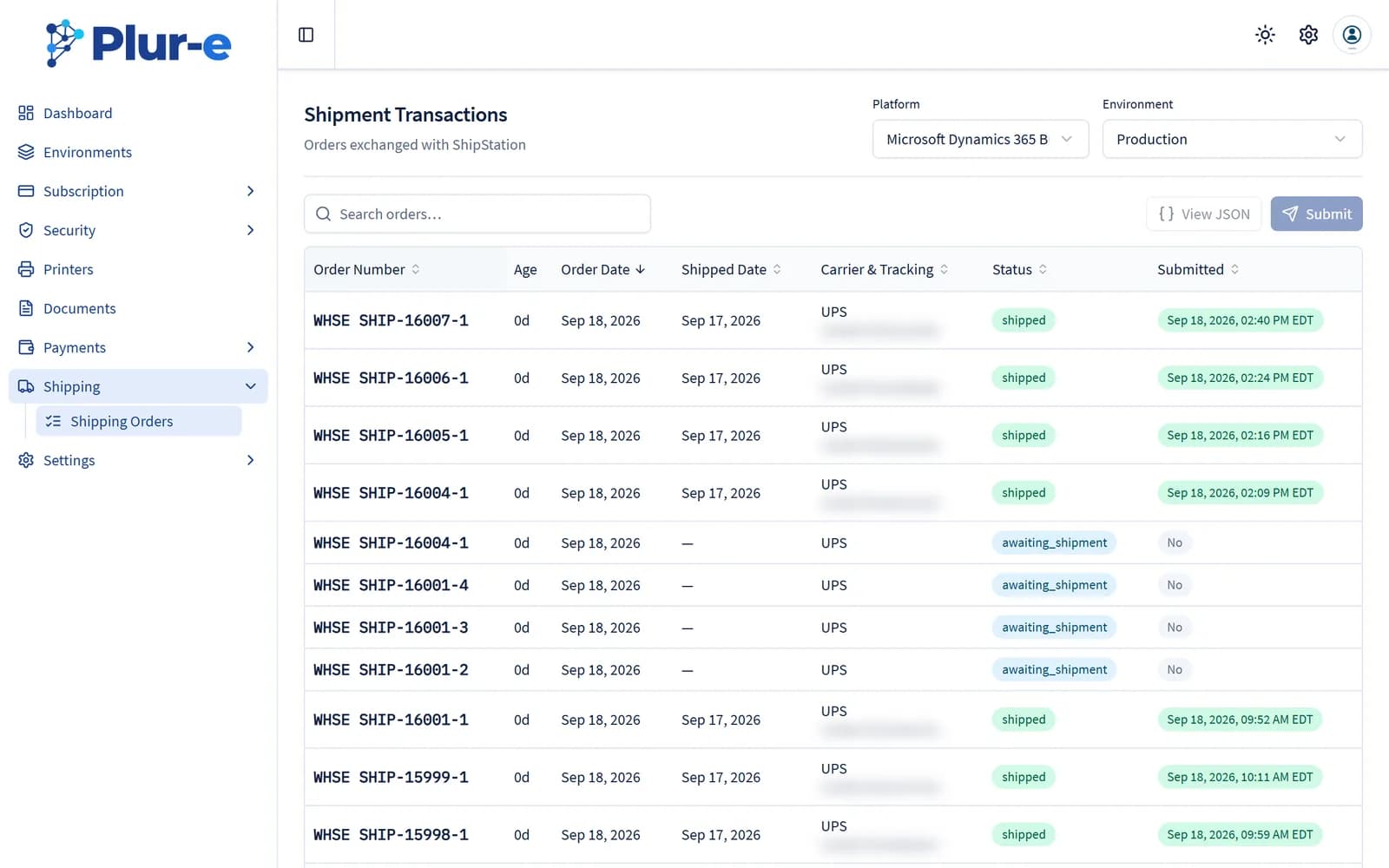
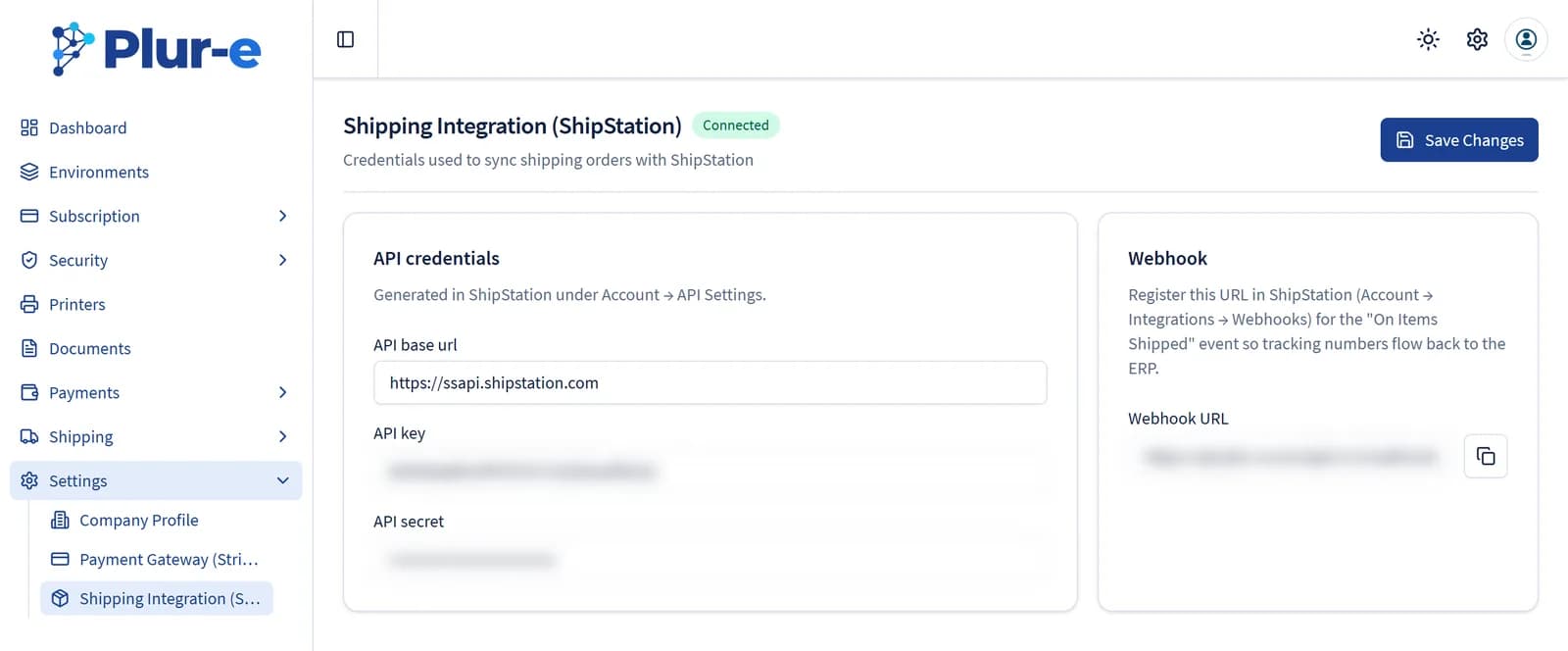
Shipping → Shipping Orders shows the orders exchanged with ShipStation for the selected environment — carrier, tracking number, status and when they were submitted. Settings → Shipping Integration (ShipStation) holds the API credentials and the webhook URL used when packages created in a pick are sent to a carrier.
Shipping orders
Pick the platform and environment at the top. Select an order to open its View JSON payload or to Submit it again to ShipStation when it is still awaiting_shipment.
ShipStation credentials
Enter the API base url, API key and API secret generated in ShipStation (Account → API Settings) and register the Webhook URL shown on the page for the On Items Shipped event so tracking numbers flow back to Business Central.
Related: Packages · ShipStation integration
Last updated on
Edit on GitHub