

Roles
Create roles per subscription and environment to control which Plur-e modules and actions a mobile user can access.
Quick answer
Security → Roles lets you define roles for a subscription and its environments. Assign a role to a user to limit the modules (Warehouse, Sales, Payments, Inventory Count…) and actions they see in the app.
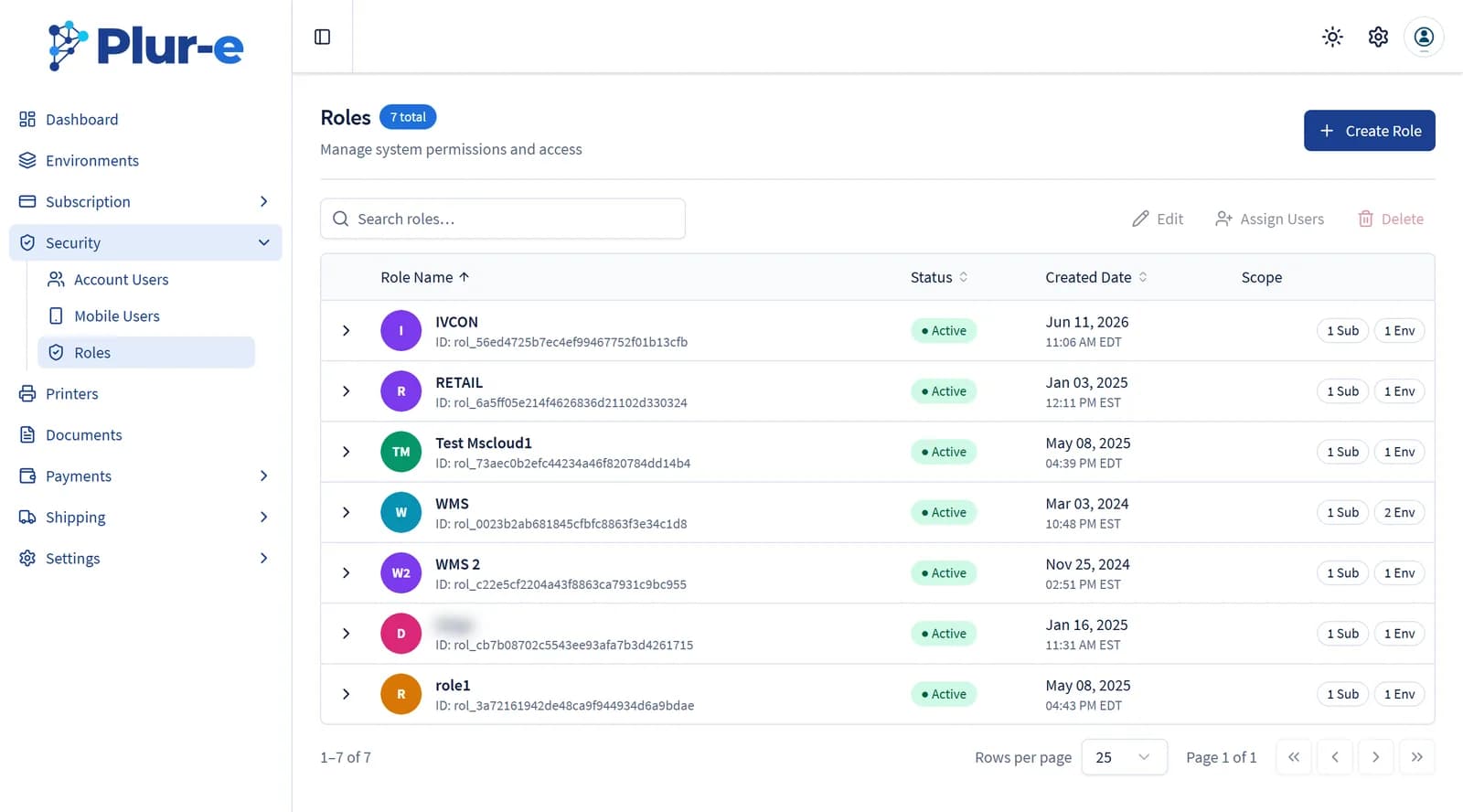
Each row shows the role's scope: how many subscriptions and environments it covers. Assign Users links the role to several mobile users at once.
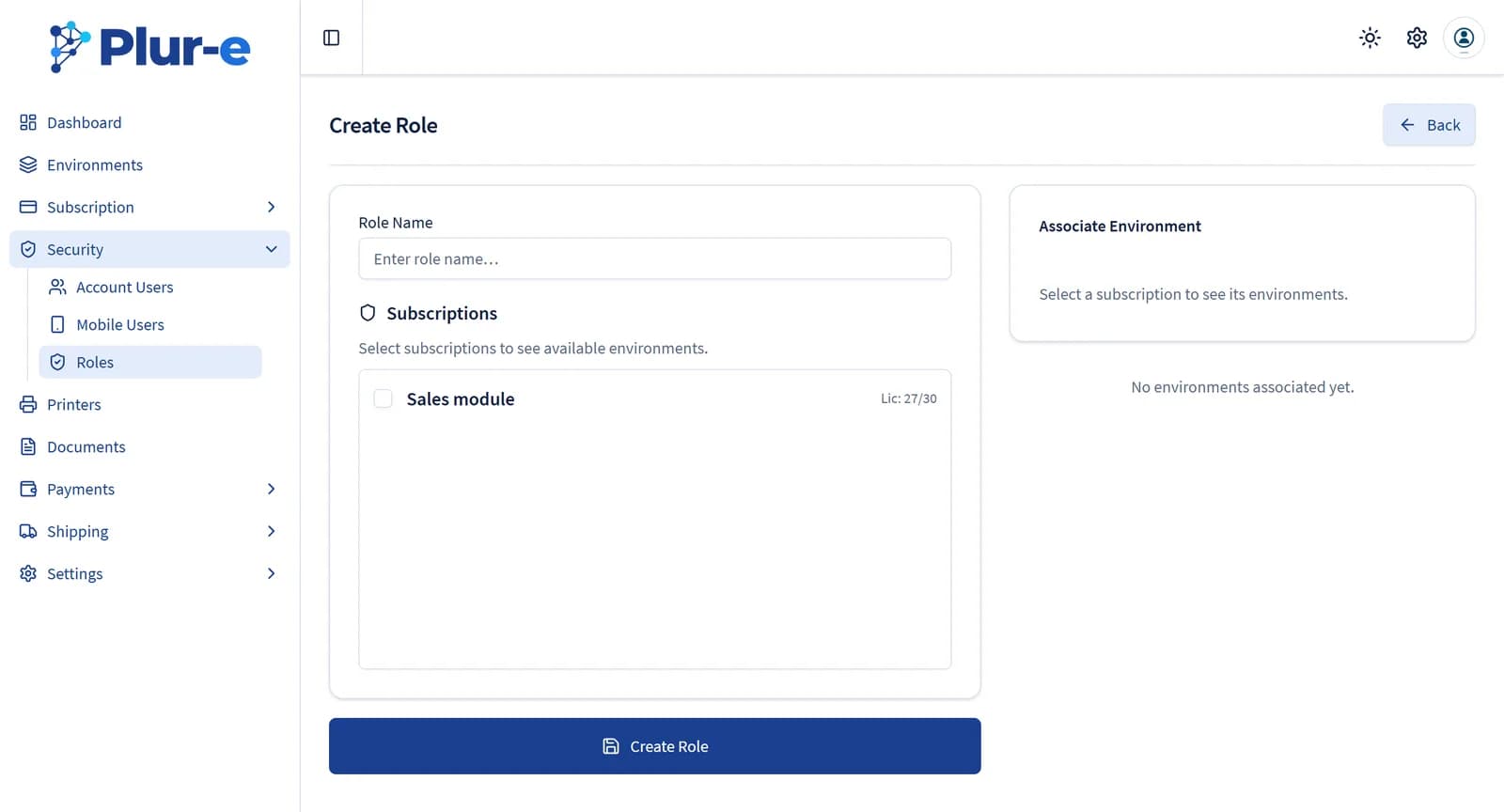
Create the role Give it a name and pick the subscription; its environments then
appear under Associate Environment.
Pick modules and actions Enable only what that job needs — for example a picker
gets Warehouse but not Payments.
Assign it to users Use Assign Users from the list, or open
Users, edit the user and apply the role on the Access tab.
Last updated on
Edit on GitHubUsers
Manage the account users who sign in to the Admin Center and the mobile users who sign in to Plur-e Mobile — subscriptions, roles, environments, ERP user and location per module, password reset, activation and deletion.
Printers
Activate the printers reported by Plur-e Printer, register others by hand, edit them and copy the Printer Key used by Business Central and Plur-e Mobile.