

Environments
Review the Business Central environment connected to Plur-e, edit its settings and run Test connection against the extension.
Quick answer
Environments lists every Business Central environment where the Plur-e extension is installed and configured. Open one to edit its settings and use Test connection to confirm Plur-e can reach the extension.
Open Environments
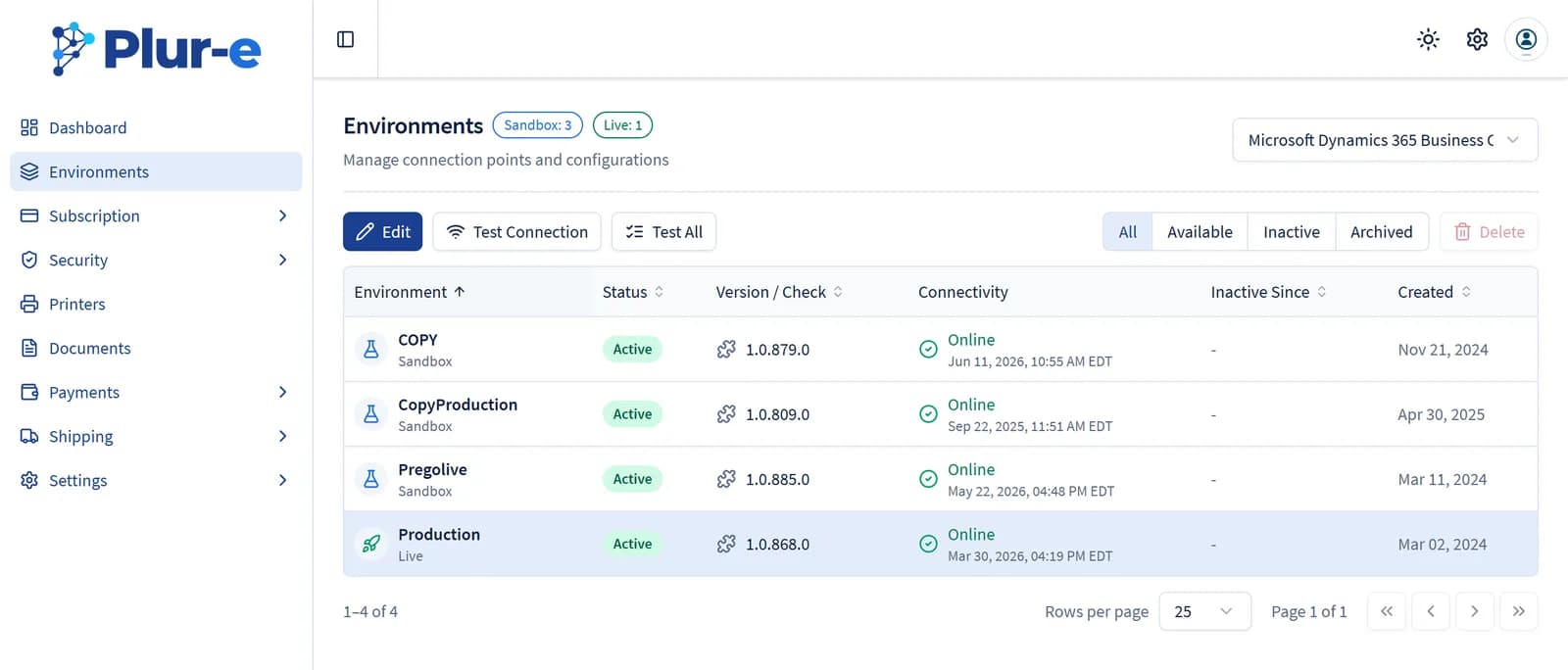
Every environment configured by Plur-e Support is listed as Sandbox or Live with its status, the installed extension version, the connectivity of the last check and its creation date. Filter by Available, Inactive or Archived and use Test All to check every environment at once.
Edit and test
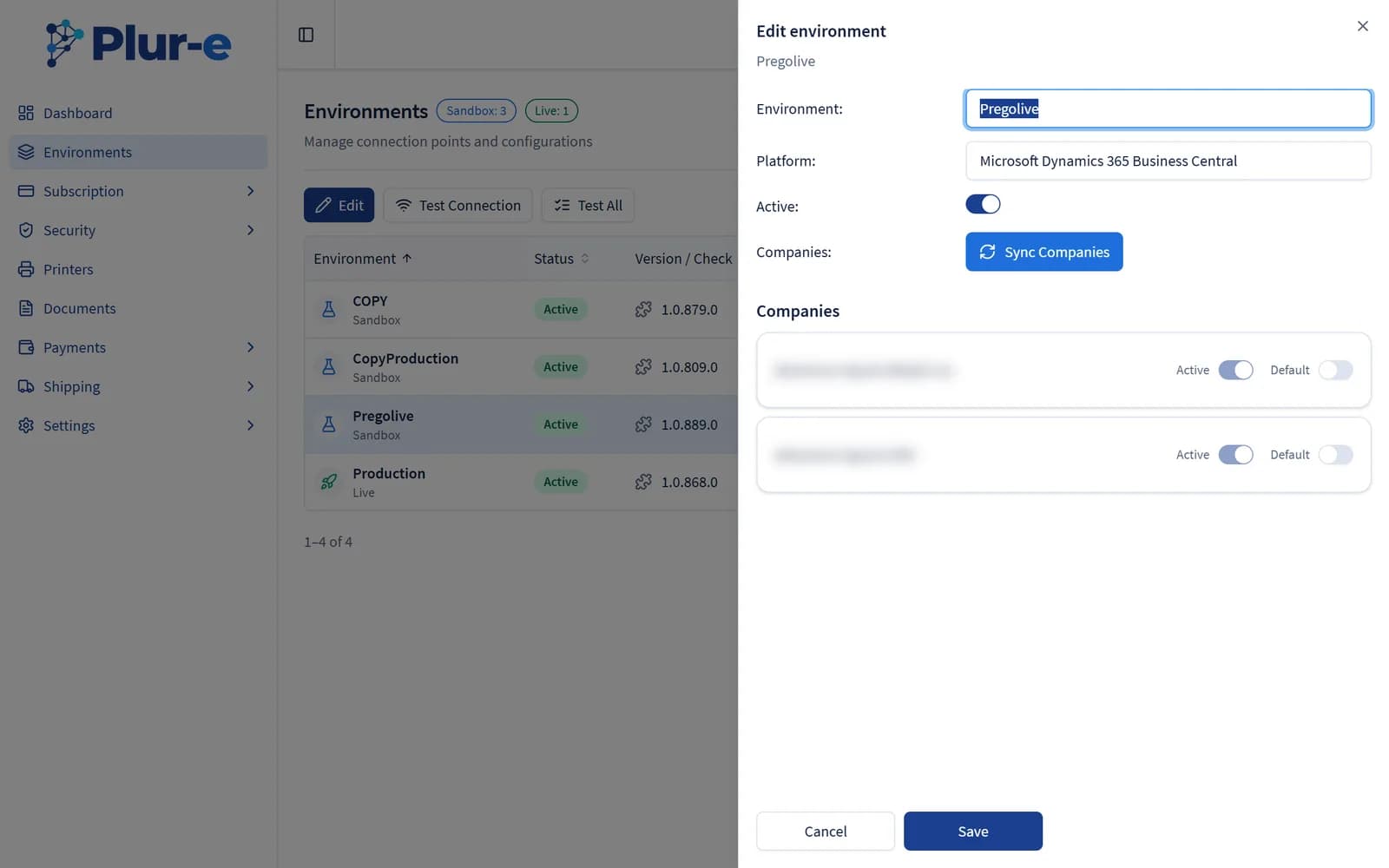
Select the environment and choose Edit to rename it, activate or deactivate it and manage its companies: Sync Companies reloads them from Business Central, and each one can be marked Active and Default.
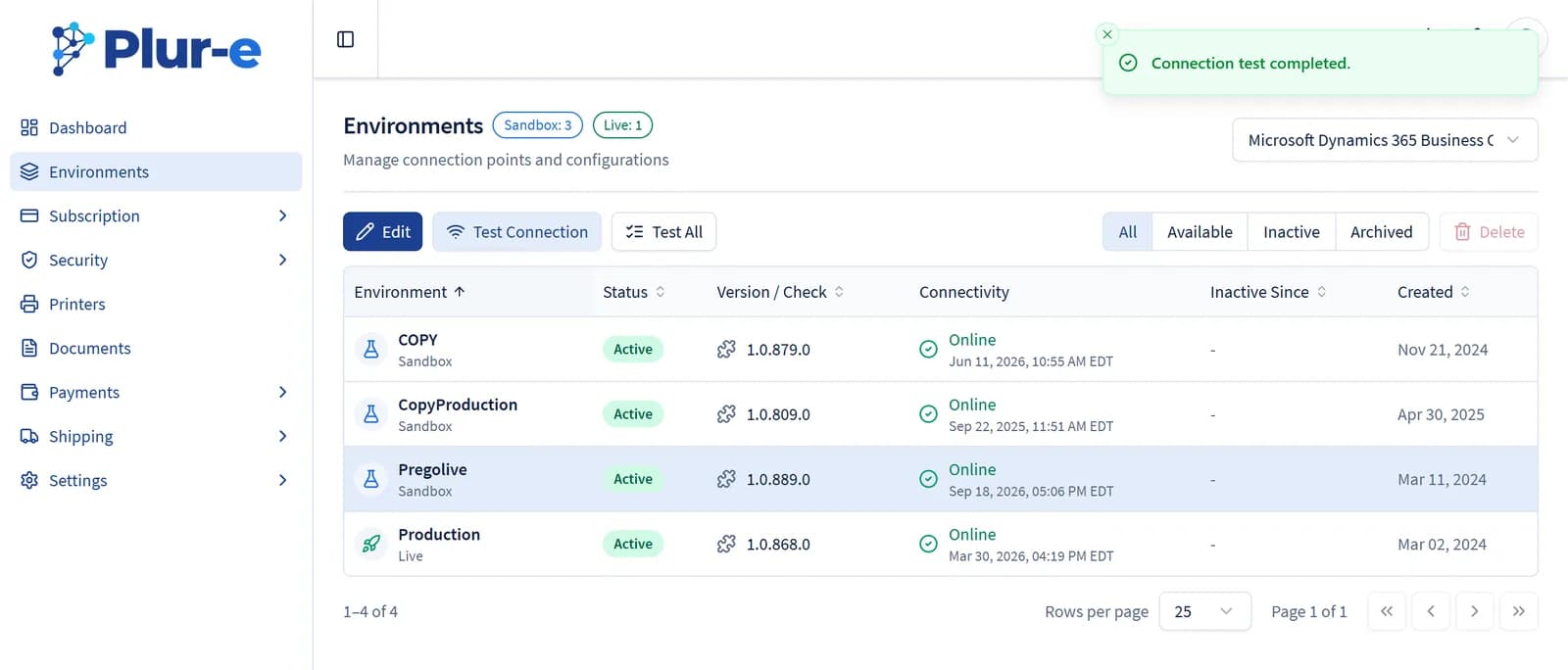
Select Test Connection with the environment selected. A Connection test completed message confirms the extension answers from Business Central and the Connectivity column shows the new check time.
Common problems
| Symptom | Fix |
|---|---|
| Test connection fails | Check that Allow HttpClient Requests is enabled on the extension and that consent was granted in the Plur-E Setup wizard. |
| Wrong environment | Contact support to register a different environment name; sandbox and production are separate entries. |
Business Central administration
Refresh environments without signing in again; use Manage in Business Central to:
- Create sandbox, copy to sandbox, restore to a point in time, rename, delete sandboxes, recover, install/update AppSource apps (including the Plur-e extension), upload per-tenant extensions (.app, up to 50 MB), uninstall apps, create/rename/delete companies.
Plur-e mirrors Business Central: new, copied, restored and recovered environments are added to Plur-e; renames are applied; deleting a sandbox or a company in Business Central also deletes it in Plur-e.
Production environments cannot be deleted, the Plur-e extension cannot be uninstalled from Production, and Force sync is not available on Production.
When you copy or restore, Plur-e can copy the configuration of the source environment: parameters, session settings, company flags and role permissions. Payment methods, MCP/CRM and B2B settings are not copied. The Copy mobile users checkbox (checked by default; requires Copy Plur-e configuration) also copies each mobile user's companies, modules, permissions, ERP user and location into the new environment — see Copy configuration between environments.
A recovered environment comes back to Plur-e as a new environment without its previous configuration.
Rename, delete and uninstall ask you to type the exact name.
Every operation runs as the account that signed the connection and is listed in Activity.
The signing account must be a Global, Dynamics 365 or Business Central administrator and needs the D365 AUTOMATION or SUPER permission set for company operations.
Related: Install the extension · Users
Last updated on
Edit on GitHubAdmin Center overview
The Plur-e Admin Center (admincenter.plur-e.com) is where administrators manage environments, subscription, account and mobile users, roles, printers, documents, payments, shipping and the company settings.
Subscription
The Subscription section shows your current Plur-e plan and opens the Stripe customer portal to manage billing.