

Printers
Activate the printers reported by Plur-e Printer, register others by hand, edit them and copy the Printer Key used by Business Central and Plur-e Mobile.
Quick answer
Printers holds the printers linked to Plur-e. The Devices tab lists the computers running Plur-e Printer and lets you download the installer and create enrollment codes; the Printers tab shows the printers they report so you can Activate the ones to use, plus any printer registered by hand. Each active printer has a Printer Key that Business Central and Plur-e Mobile use to send documents.
The Printers tab lists the printers registered for your company with their connection, format and status, and a truncated Printer Key; the Devices tab shows the Plur-e Printer agents that report them.
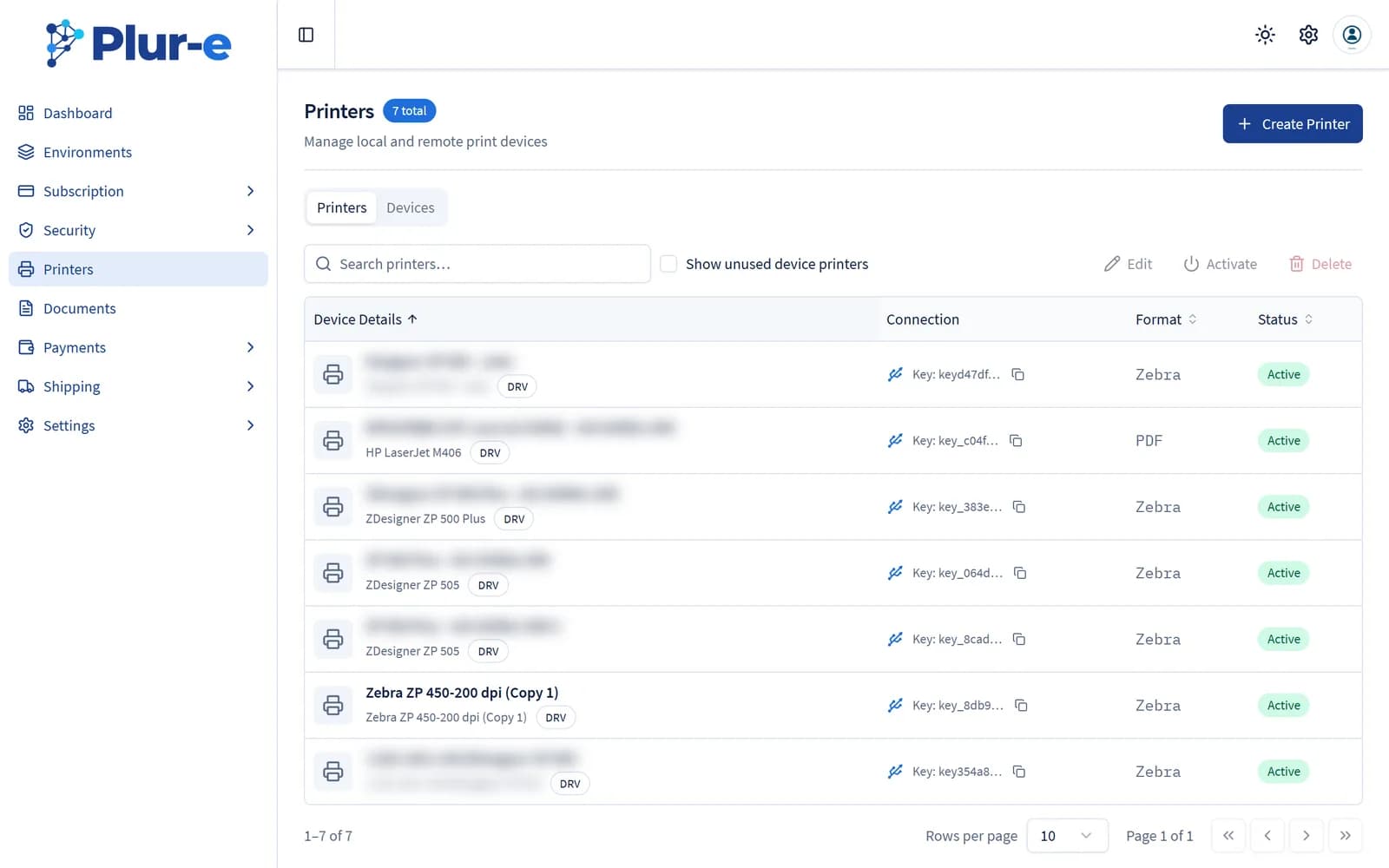
Create a printer
Select Create Printer. Enter the Name (the exact Windows printer name) and a Description, choose the Connection (Local or Remote), the Format Printer (Thermal or PDF) and the Type Printer (DRV, COM, TCP or LPT with its IP, COM or port). The Printer Key is generated when you save.
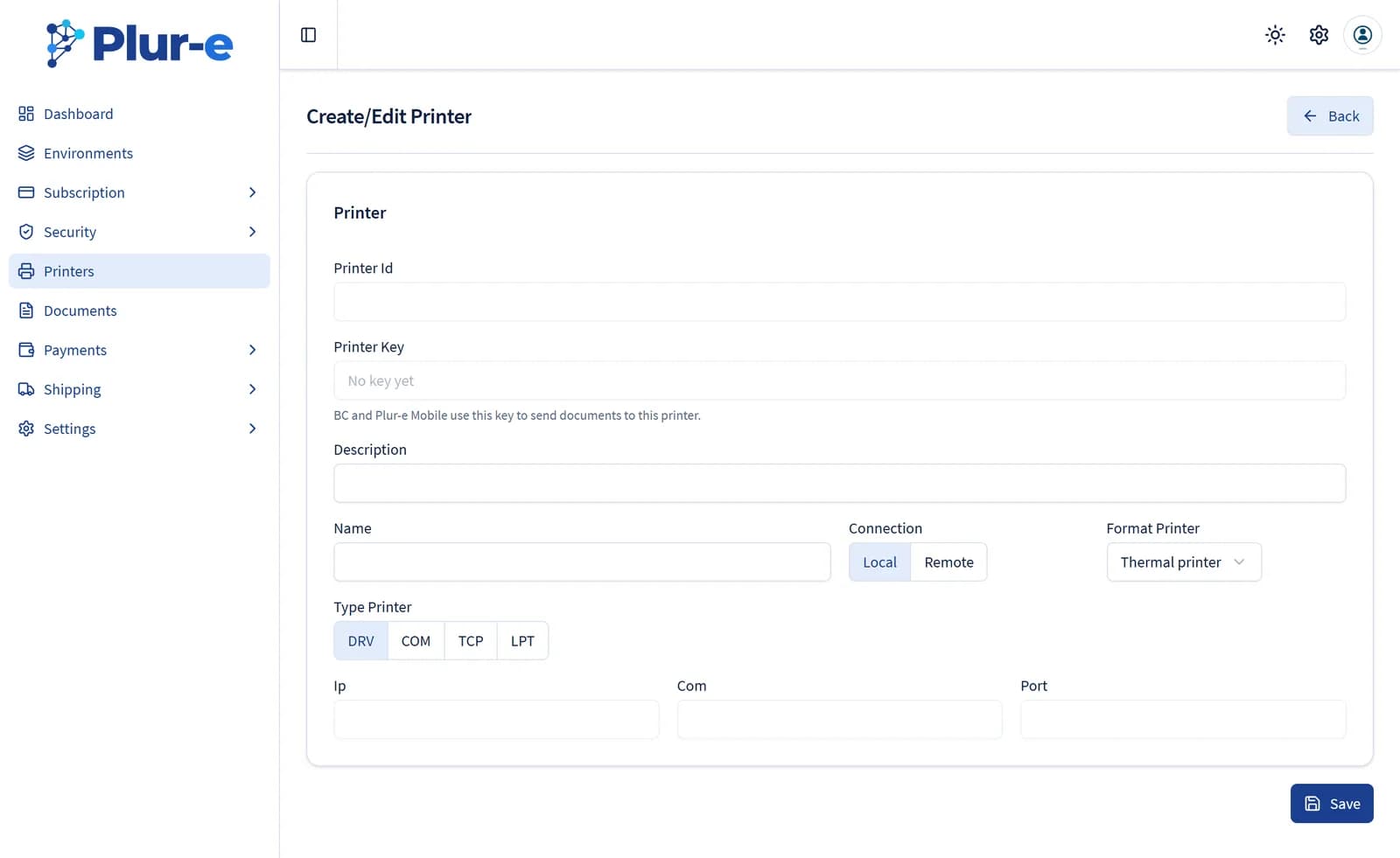
The step-by-step guide, including the desktop app and the Printer Key, is in Add a printer.
Devices
The Devices tab lists every computer linked with Plur-e Printer with its status, last connection, version and printer count. New device generates a one-time enrollment code; Choose printers activates the printers a device reports. The card at the top downloads the current installer.
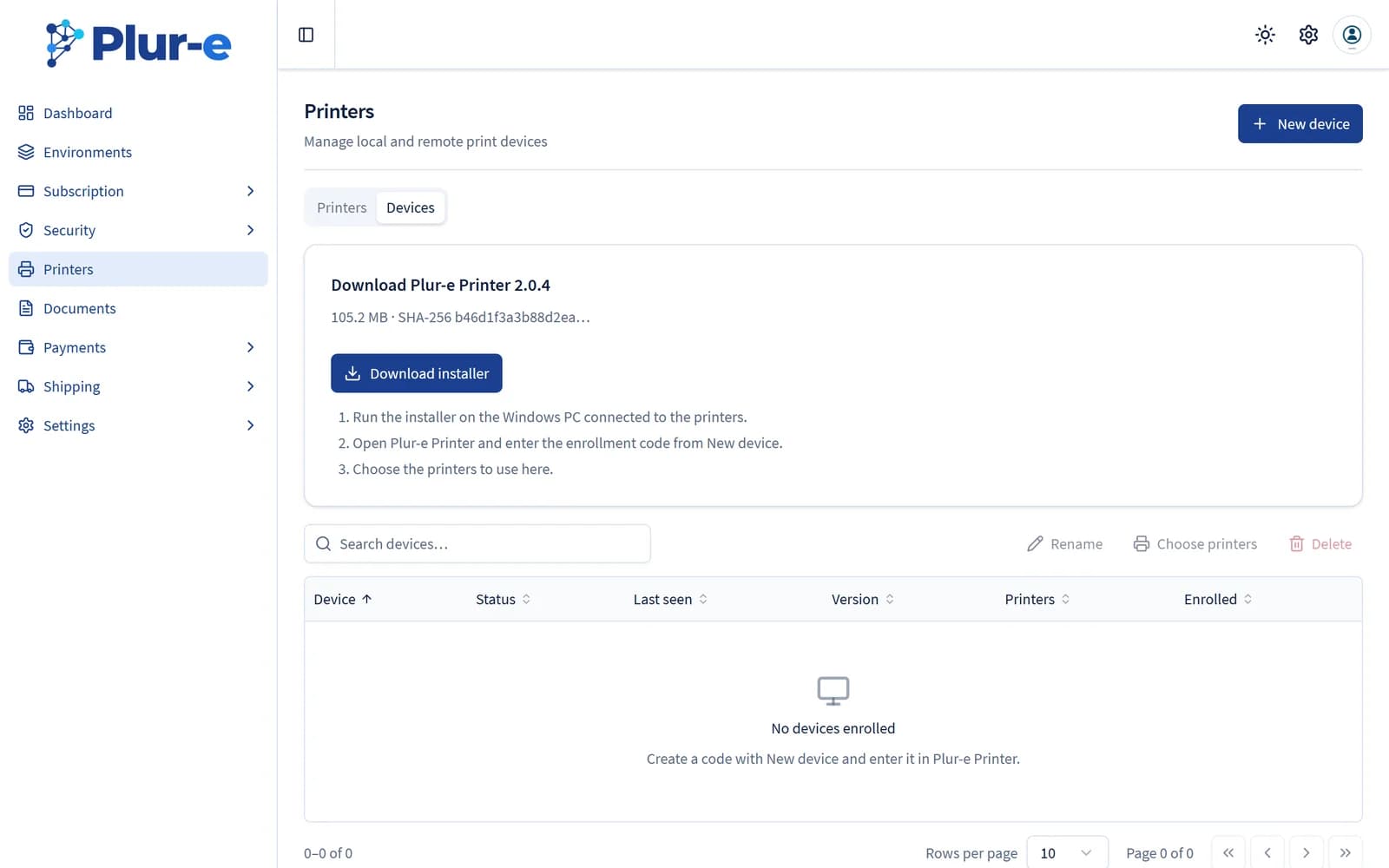
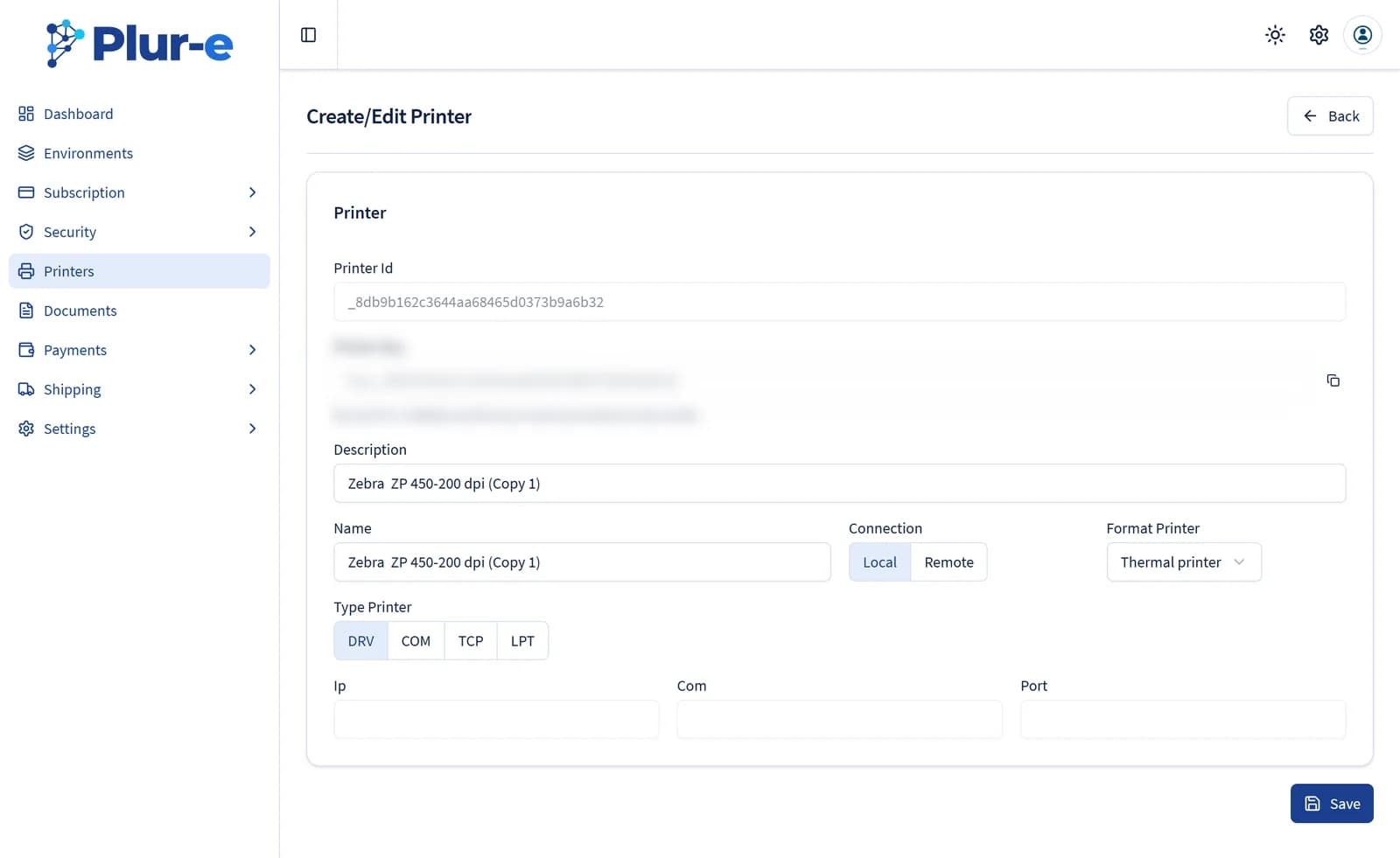
Edit a printer
Select the printer and Edit. The same page shows its Printer Id and Printer Key — Business Central and Plur-e Mobile use the key to send documents to this printer.
Related: Plur-e Printer install · Documents
Last updated on
Edit on GitHub