

Install Plur-e Printer
Install the Plur-e Printer desktop app on the Windows PC connected to your printers — download it from the Admin Center, run the installer and link the computer with an enrollment code so Plur-e Mobile and Business Central can print locally.
Quick answer
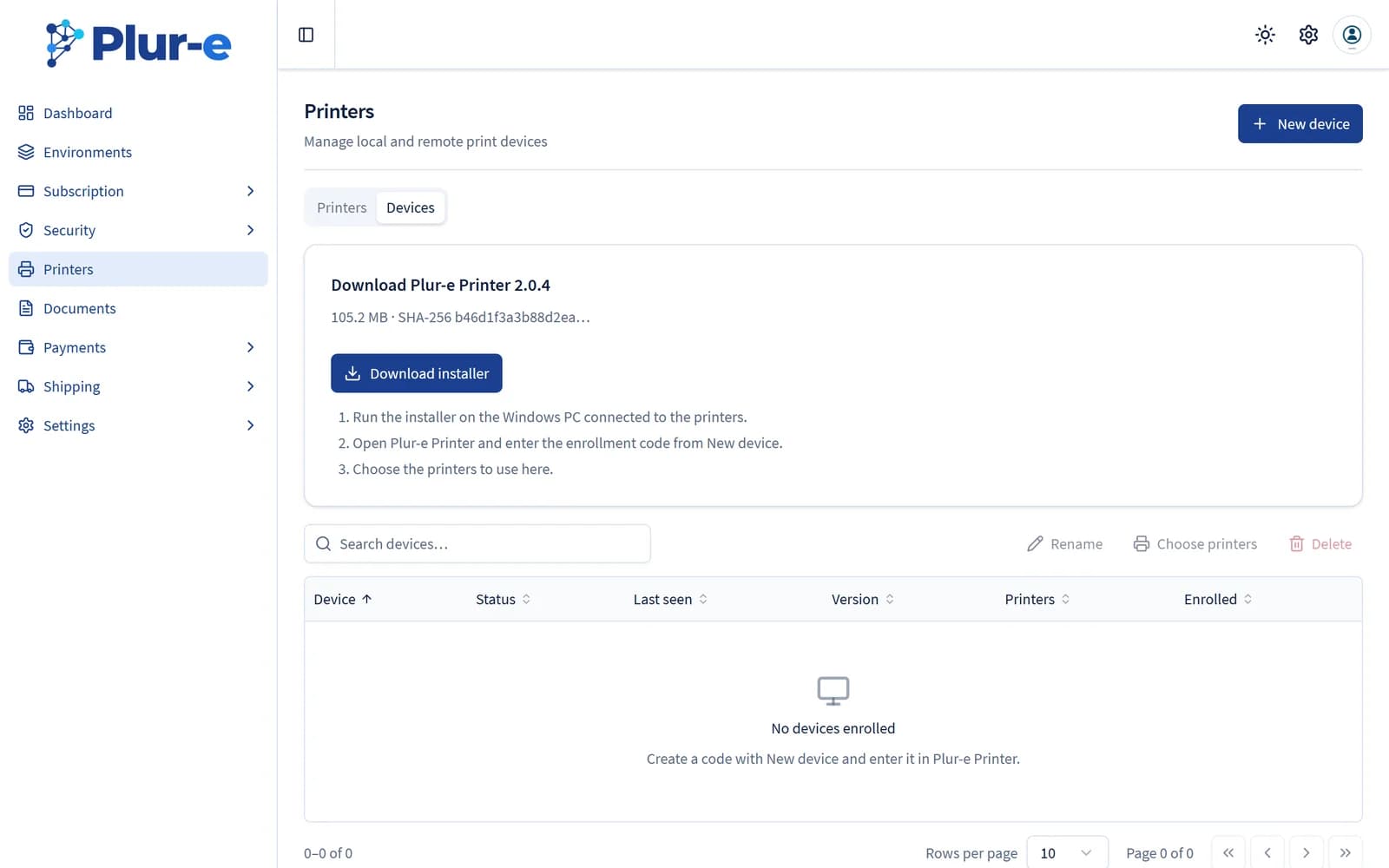
In the Admin Center open Printers → Devices and select Download installer. Run it on the Windows PC that can reach the printers, open Plur-e Printer and enter the enrollment code generated with New device. The computer appears in Devices as soon as it connects and reports its printers; then choose the printers to use.
Download the installer
In admincenter.plur-e.com open Printers → Devices. The card at the top shows the current version and its SHA-256; select Download installer.
Run the installer
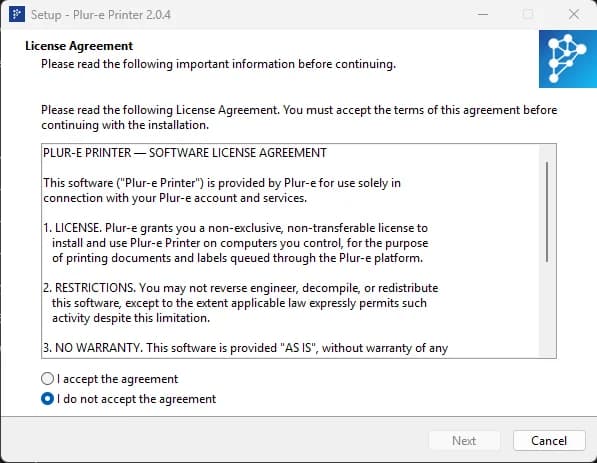
Run the downloaded .exe on the Windows PC connected to the printers. If Windows SmartScreen warns about an unknown publisher, choose More info → Run anyway; if the antivirus blocks it, add an exception. Accept the license agreement, follow the wizard and finish.
Generate an enrollment code
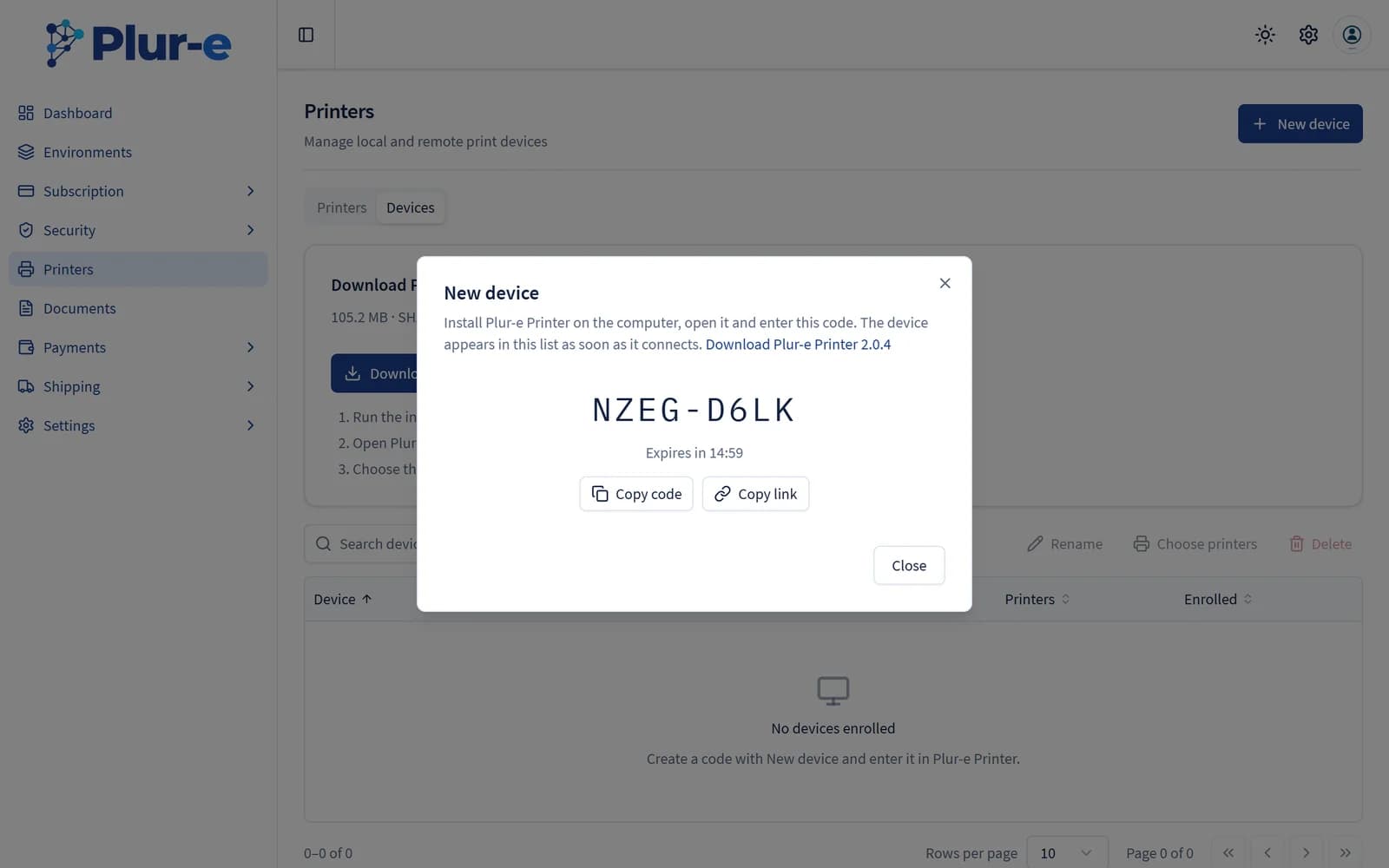
Back in Printers → Devices select New device. The dialog shows a one-time code (XXXX-XXXX) valid for 15 minutes, with Copy code and Copy link.
Link the computer
Open Plur-e Printer. The first screen, Connect this PC to Plur-e, asks for the Enrollment code and the API URL (leave the default unless support gave you another one). Enter the code and select Connect — or open the copied link on that PC, which fills both fields.
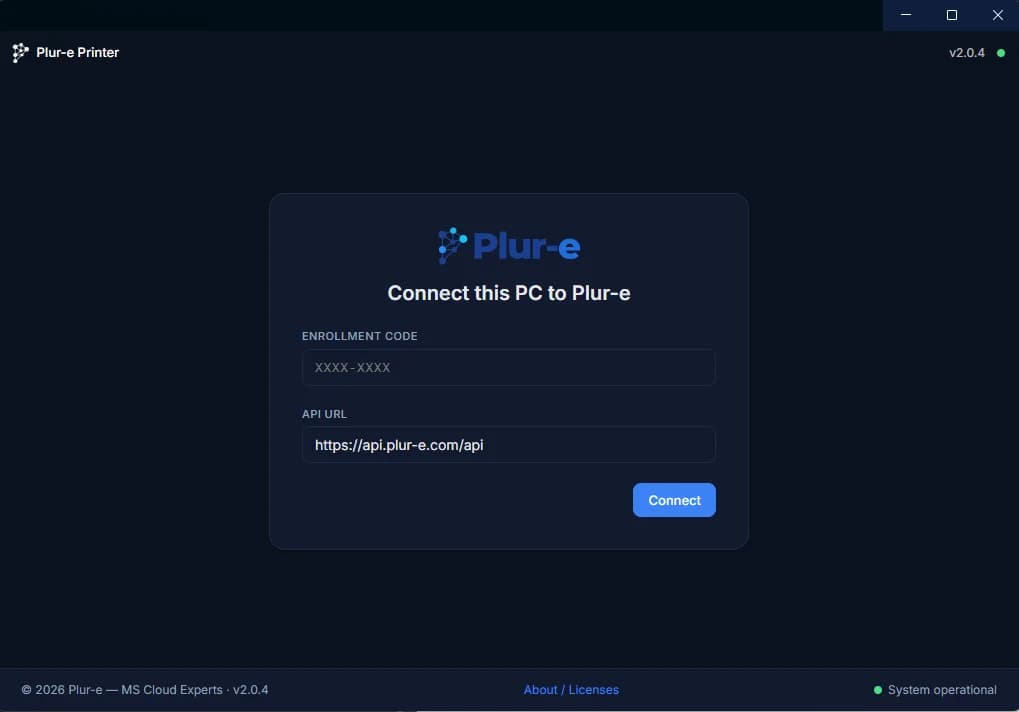
The app connects to Plur-e, shows the company it is linked to and starts reporting the printers installed on that computer.
The app runs in the background and keeps the connection open; the Devices tab shows it as Online with its version and the number of printers found. Keep the PC awake and signed in so documents can be delivered.
Next: Add a printer
Last updated on
Edit on GitHubManage documents for the Chat Bot
Import, type, source and delete the documents the Chat Bot Assistant uses to answer — Manage Documents → Actions → Import Document in Business Central.
Add a printer
Choose the printers reported by Plur-e Printer in the Admin Center, activate them and use their Printer Key from Business Central and Plur-e Mobile; register a printer by hand only when it is not managed by a device.