

Printing
Document history and reprint
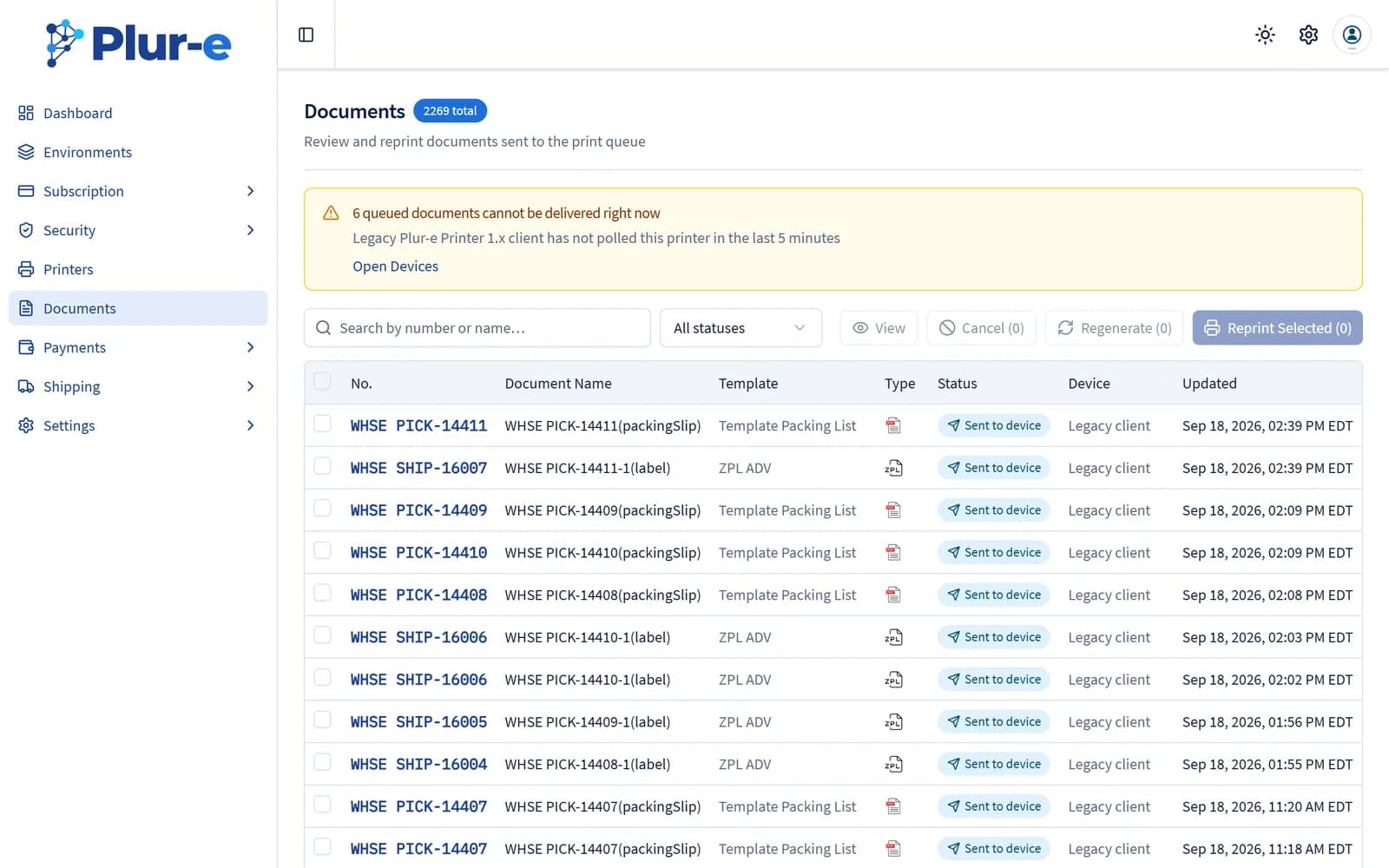
Every document printed from Plur-e Mobile is kept in Admin Center → Documents, where you can open the original file and print it again.
Quick answer
Open Admin Center → Documents to see the history of documents printed from the device. Each entry can be viewed in its original format and printed again.
Related: Documents · Print from mobile
Last updated on
Edit on GitHubWas this page helpful?
Print from Plur-e Mobile
Print Plur-e reports — paid invoice receipts, labels — from the phone to a printer registered in the Admin Center and served by Plur-e Printer.
Printing troubleshooting
Fixes for the most common Plur-e printing problems — device offline, printer not activated, Plur-e Printer closed, Bluetooth permission, remote printers.