

Packages (pick and pack)
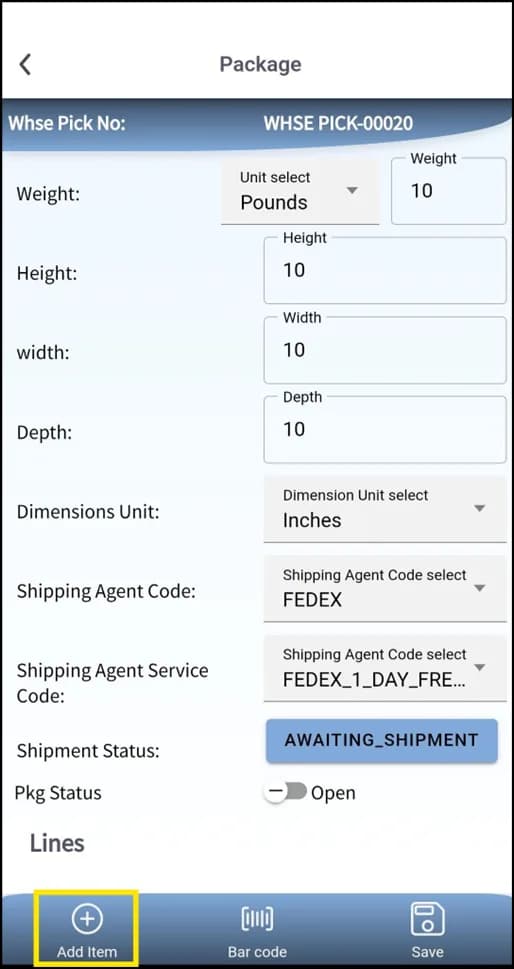
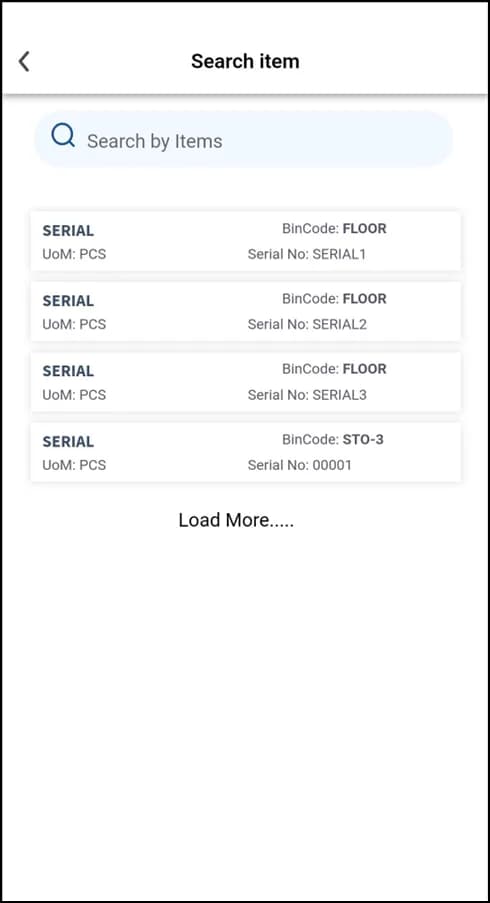
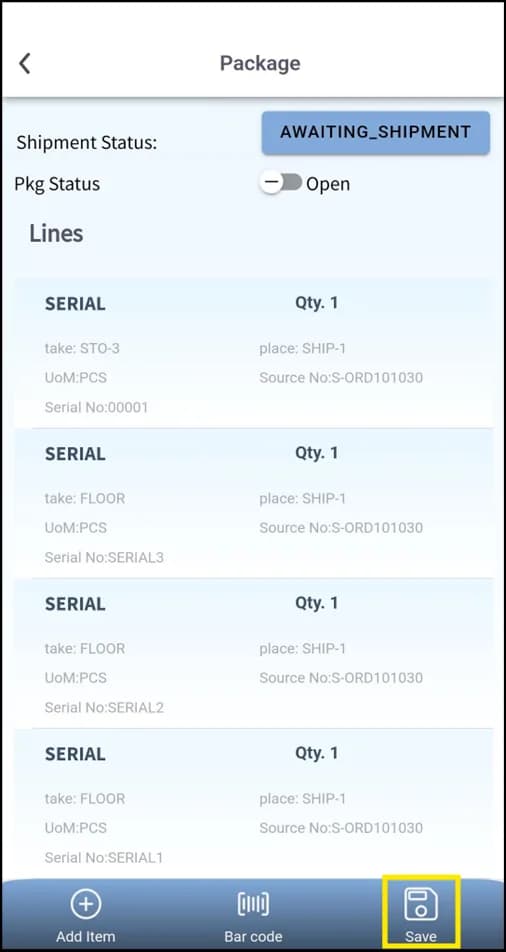
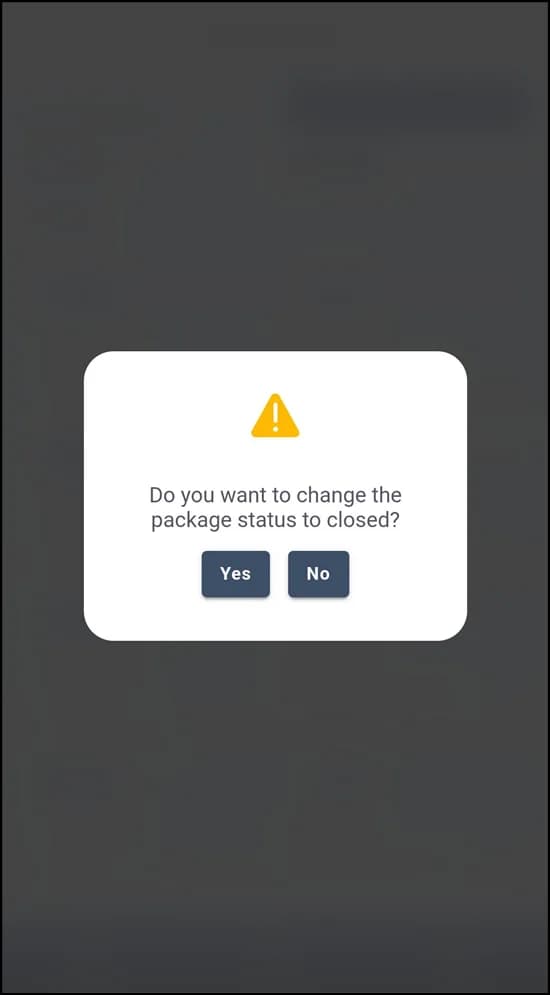
Create shipping packages while picking in Plur-e Mobile — start the pick from the shipment, scan UPC or serial, create packages, add items, save and register the pick.
Quick answer
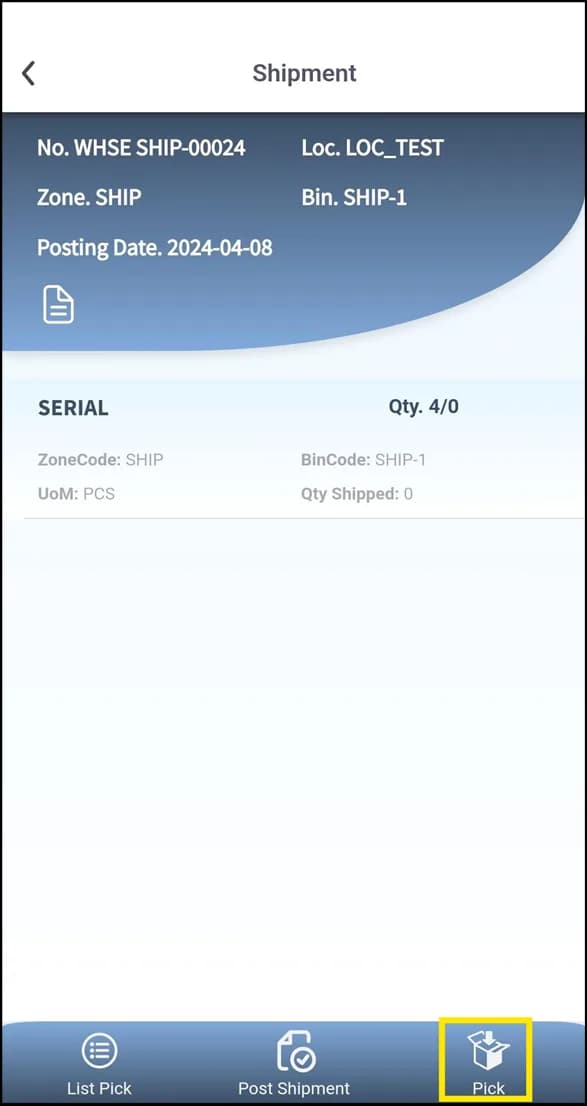
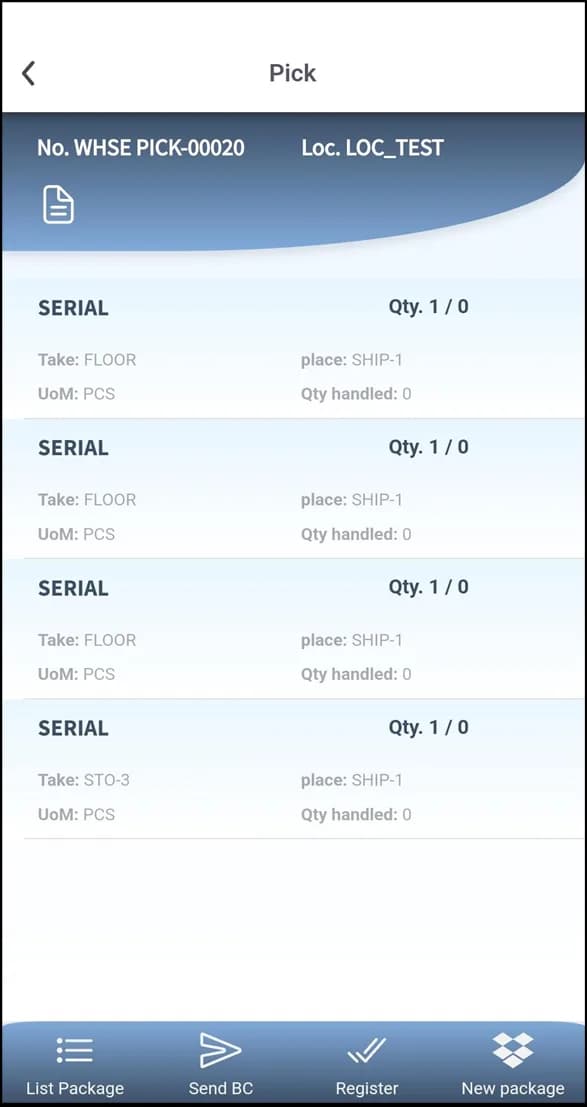
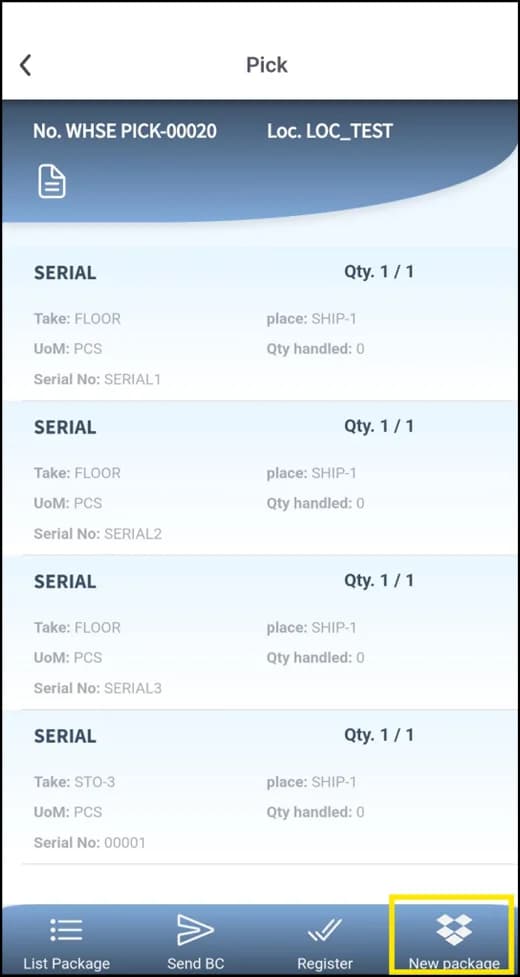
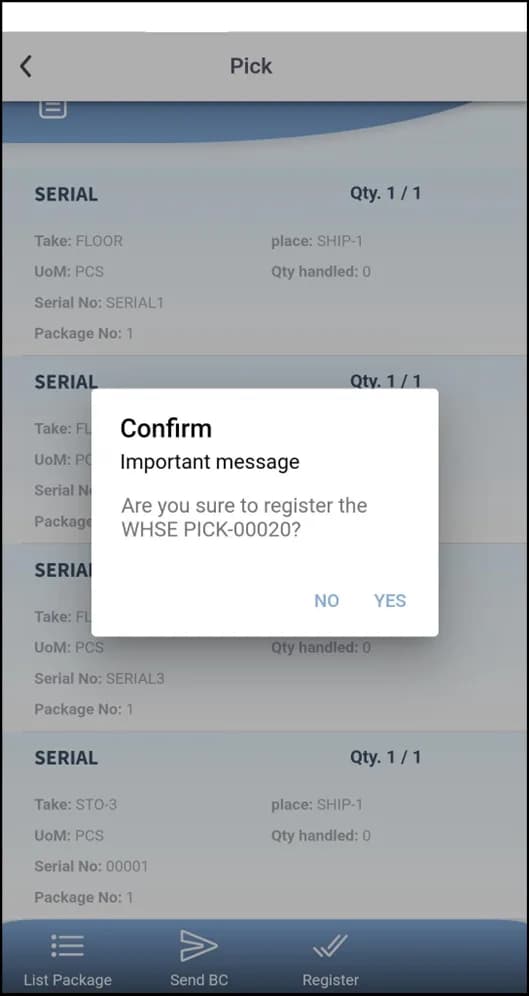
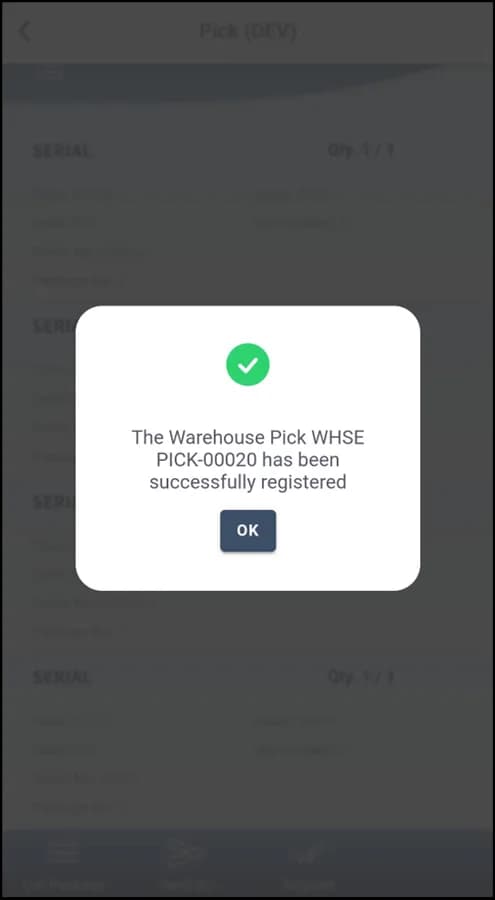
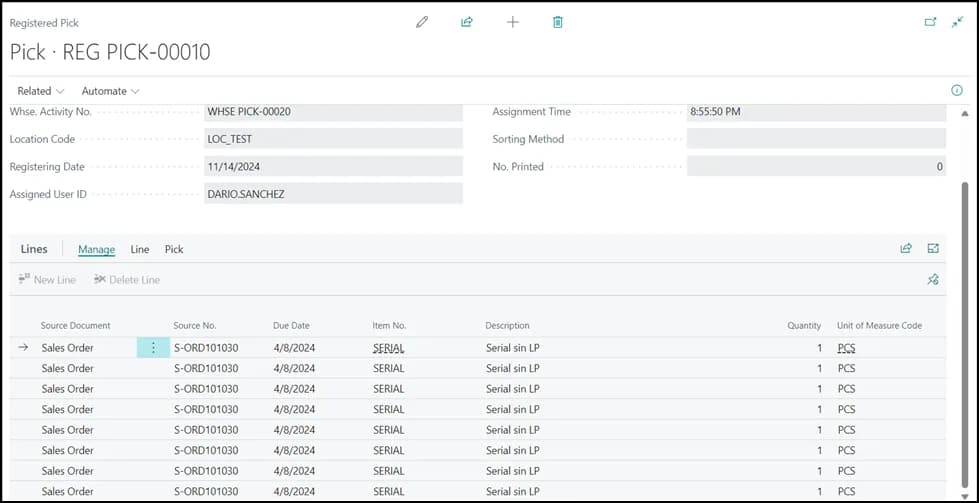
With the shipment created in Business Central, Plur-e lets you create the pick from it, scan each item by UPC or serial, and group the picked items into packages for carriers. Save the packages and register the pick from the app; the registered pick syncs to Business Central and packages can go to ShipStation.
Why pick from the phone
In Business Central a Warehouse Pick lists items, quantities and bins to collect for sales, transfer or production orders. With Plur-e the operator records the pick from anywhere in the warehouse with the scanner instead of returning to a terminal, which cuts walking time and typing errors.
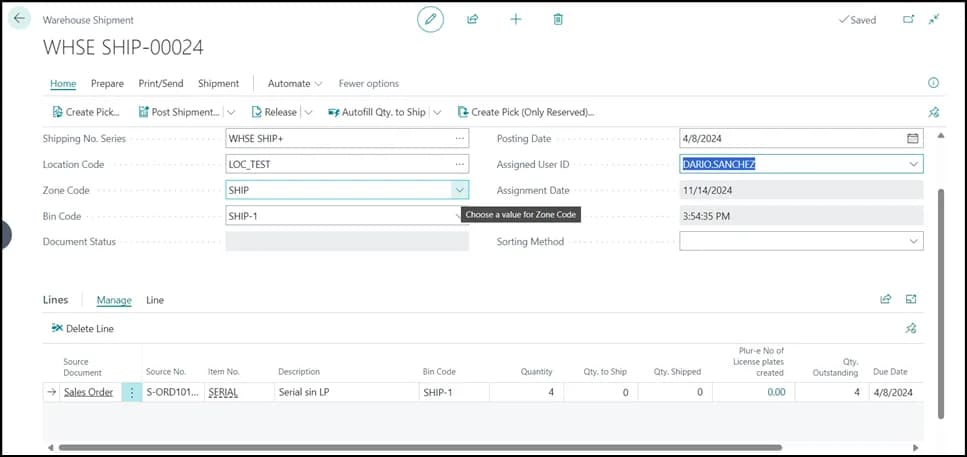
Start from the shipment
Once the shipment exists in Business Central, Plur-e offers to create the pick from it.
What packages give you
- Package linked to the order and its items.
- Labels and tracking through the carrier integration (ShipStation).
- Rate calculation and consolidation on the carrier side.
What this posts in Business Central
| Plur-e action | Business Central |
|---|---|
| Register pick | Registered Warehouse Pick |
| Save package | Plur-e package record sent to ShipStation when configured |
Related: Warehouse shipment and pick · Shipments in the Admin Center
Last updated on
Edit on GitHubWarehouse shipment and pick
From a sales or transfer order to a posted warehouse shipment — create the shipment and assign the user in Business Central, create and register the pick in Plur-e Mobile, post the shipment.
License plates on receipt
Receive with license plates in Plur-e Mobile — New LP, scan UPC, enter quantity and serials, save, review with List LP, remove items, then post the receipt.