

ShipStation
Connect Plur-e to ShipStation from Admin Center → Shipments so packages created during picking get carrier labels and tracking.
Quick answer
Enter your ShipStation API credentials in Admin Center → Shipments. Packages created in a pick are then sent to ShipStation for labels, rates and tracking; the Shipments section lists the latest transactions.
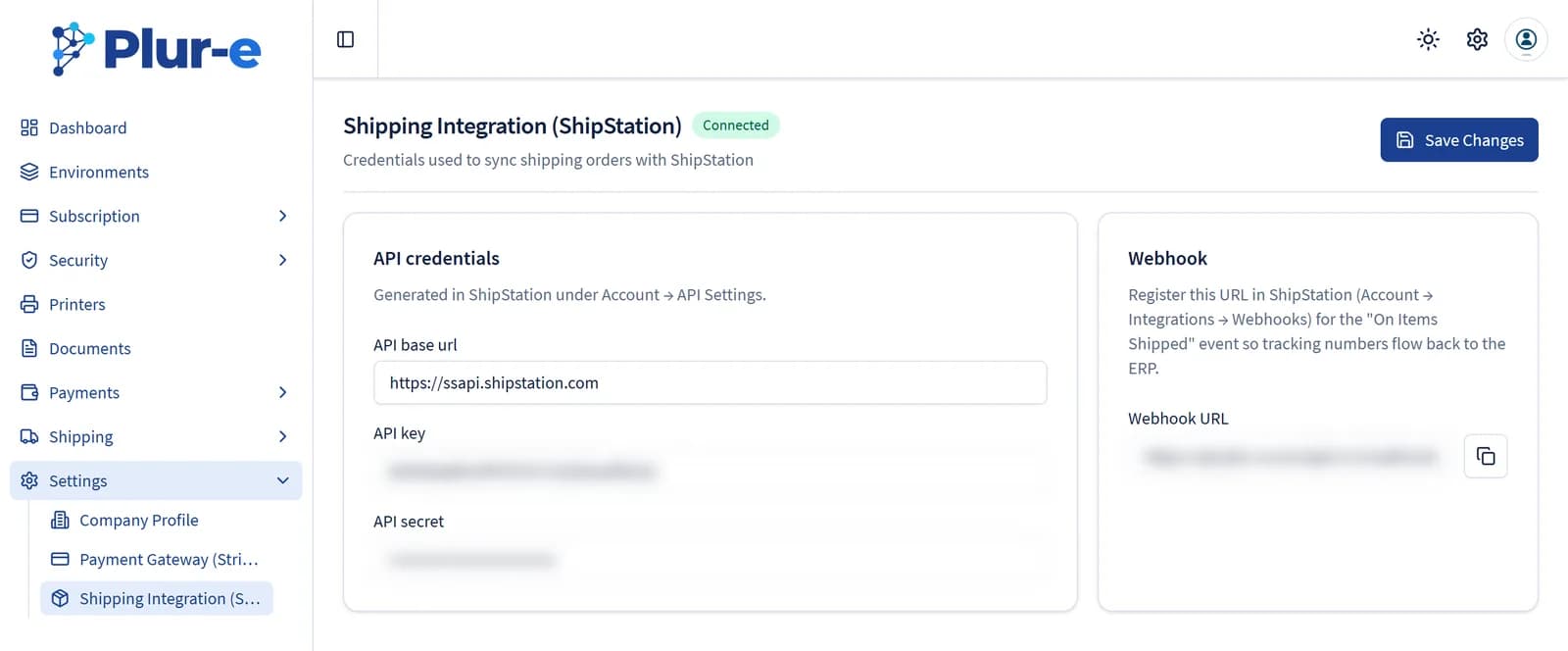
Get the API keys In ShipStation open Settings → Account → API Settings and
generate the API key and secret.
Create packages Follow Packages; saved
packages appear in Shipments.
Last updated on
Edit on GitHubPrinting troubleshooting
Fixes for the most common Plur-e printing problems — device offline, printer not activated, Plur-e Printer closed, Bluetooth permission, remote printers.
Stripe
Card payments in Plur-e Mobile run through Stripe. Store the Stripe keys in Admin Center → Payments and map a payment method to a Business Central batch.