

Microsoft Entra ID
How Plur-e authenticates against Business Central — the Entra ID application consented during the Plur-E Setup wizard — and what to check when consent or permissions fail.
Quick answer
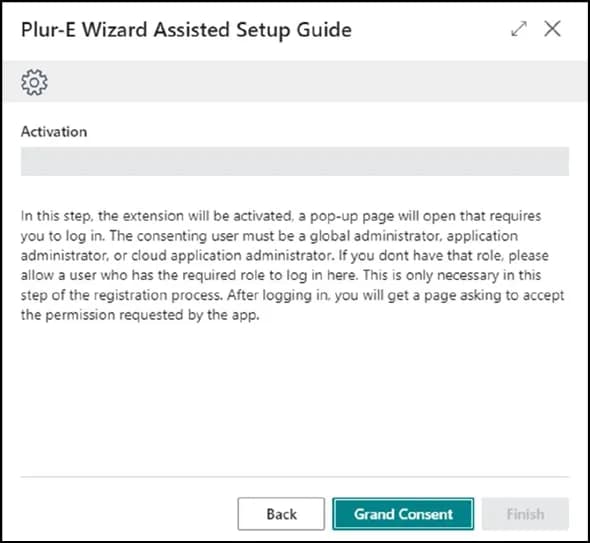
During Plur-E Setup a Global Administrator grants consent to the Plur-e Microsoft Entra ID (Azure AD) application. Plur-e services then call the Business Central APIs for that tenant; mobile users are Plur-e identities mapped to salesperson codes and Assigned User IDs.
Connect Business Central with "Refresh from Business Central"
- In the Admin Center, go to Environments, select the platform D365BC and click Refresh from Business Central.
- Sign in with a work account of your organization that is a Global, Dynamics 365 or Business Central administrator and has a Business Central license.
- Pick the environments and companies to add. Environments without the Plur-e extension are added but show Offline until you install the extension and run Sync Companies.
- Done: no extra step in Business Central is needed.
How Plur-e stores this access
Plur-e keeps the delegated access encrypted. Every Business Central call for these environments (mobile app, printing, AI/MCP) is made as the user who signed in. If that user leaves the organization, loses the Business Central license or the access is revoked, the environments show Reconnect required.
Reconnect
Go to Environments → Business Central connections → Reconnect and sign in again with an account of the same tenant. Disconnect deletes the stored access.
How long the access lasts
Microsoft keeps the access while it is used at least once every 90 days; there is no fixed one-year expiry.
Plur-e renews it automatically every week and shows the connection health in the Admin Center (header alert and Environments panel).
It ends earlier if an administrator resets the user's password, revokes sessions or the consent, disables the user, or a Conditional Access sign-in frequency applies.
Dates are estimated by Plur-e; after 12 months Plur-e reminds you to review the signing account.
The connection is kept even if you delete all its environments; only Disconnect removes it.
Checks
| Check | Where |
|---|---|
| Consent granted | Business Central → Microsoft Entra Applications → Plur-e app → state Enabled |
| Permission sets on the app user | The Entra application user in Business Central needs the permission sets the extension requires |
| Allow HttpClient Requests | Extension Management → Plur-E → Configure |
Related: Install the extension · Security
Last updated on
Edit on GitHubStripe
Card payments in Plur-e Mobile run through Stripe. Store the Stripe keys in Admin Center → Payments and map a payment method to a Business Central batch.
Business Central APIs
The Business Central APIs and extension pages Plur-e uses to read and post documents, for developers integrating with or extending Plur-e.