

Stripe
Card payments in Plur-e Mobile run through Stripe. Store the Stripe keys in Admin Center → Payments and map a payment method to a Business Central batch.
Quick answer
Paste the Stripe publishable and secret keys in Admin Center → Payments → Stripe. Create a card payment method that mirrors a General Journal Batch in Business Central; when a rep pays an invoice by card, Stripe processes it and Plur-e records the payment in that batch.
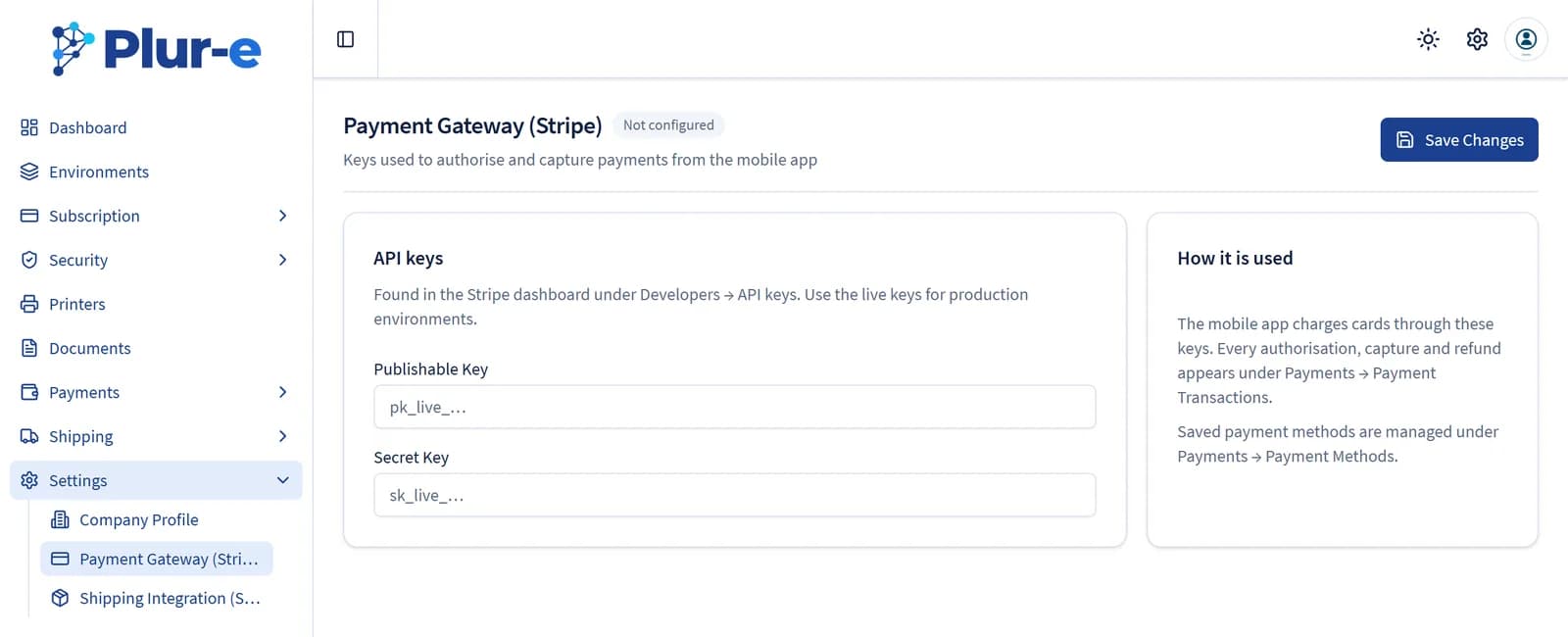
- Use test keys in a sandbox environment and live keys in production.
- The Subscription section uses Stripe too, for your Plur-e billing — different keys, managed by Plur-e.
Related: Payments module · Set up in the Admin Center
Last updated on
Edit on GitHubShipStation
Connect Plur-e to ShipStation from Admin Center → Shipments so packages created during picking get carrier labels and tracking.
Microsoft Entra ID
How Plur-e authenticates against Business Central — the Entra ID application consented during the Plur-E Setup wizard — and what to check when consent or permissions fail.