

Set up payments in the Admin Center
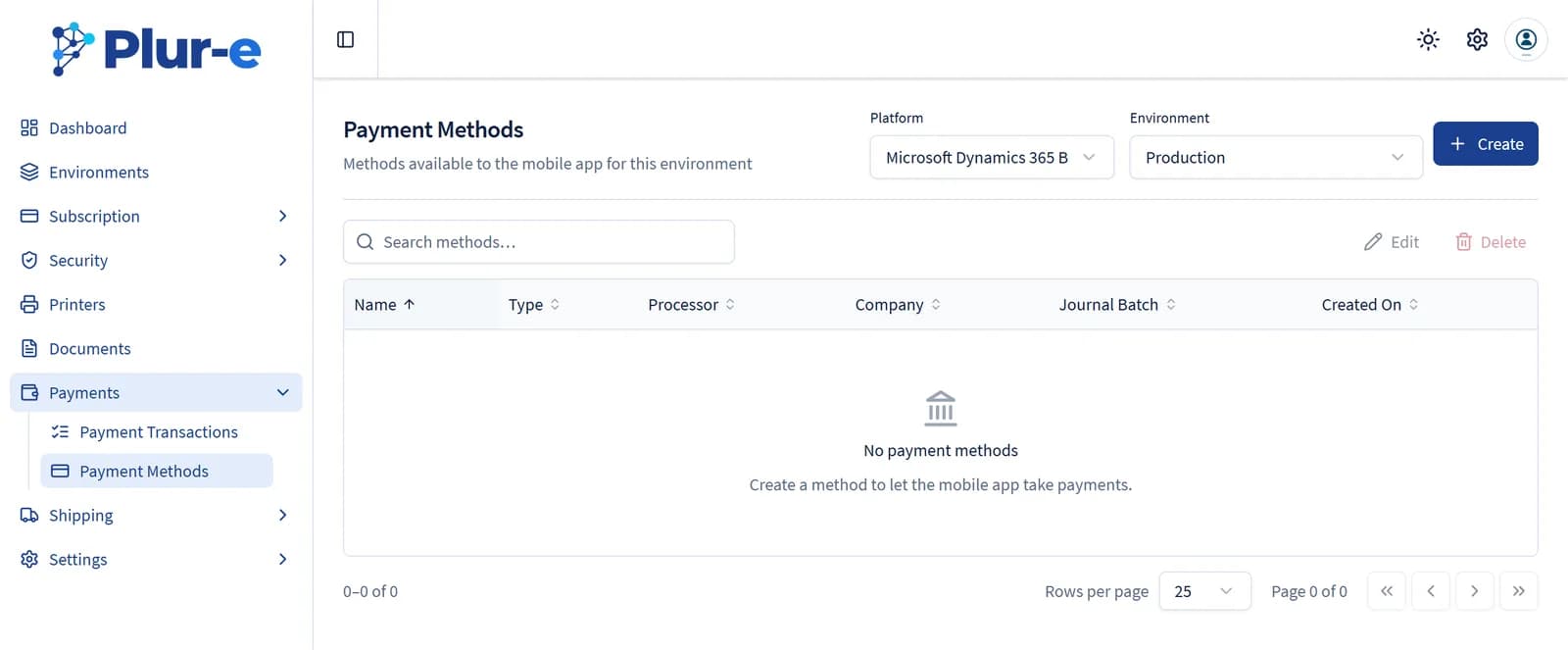
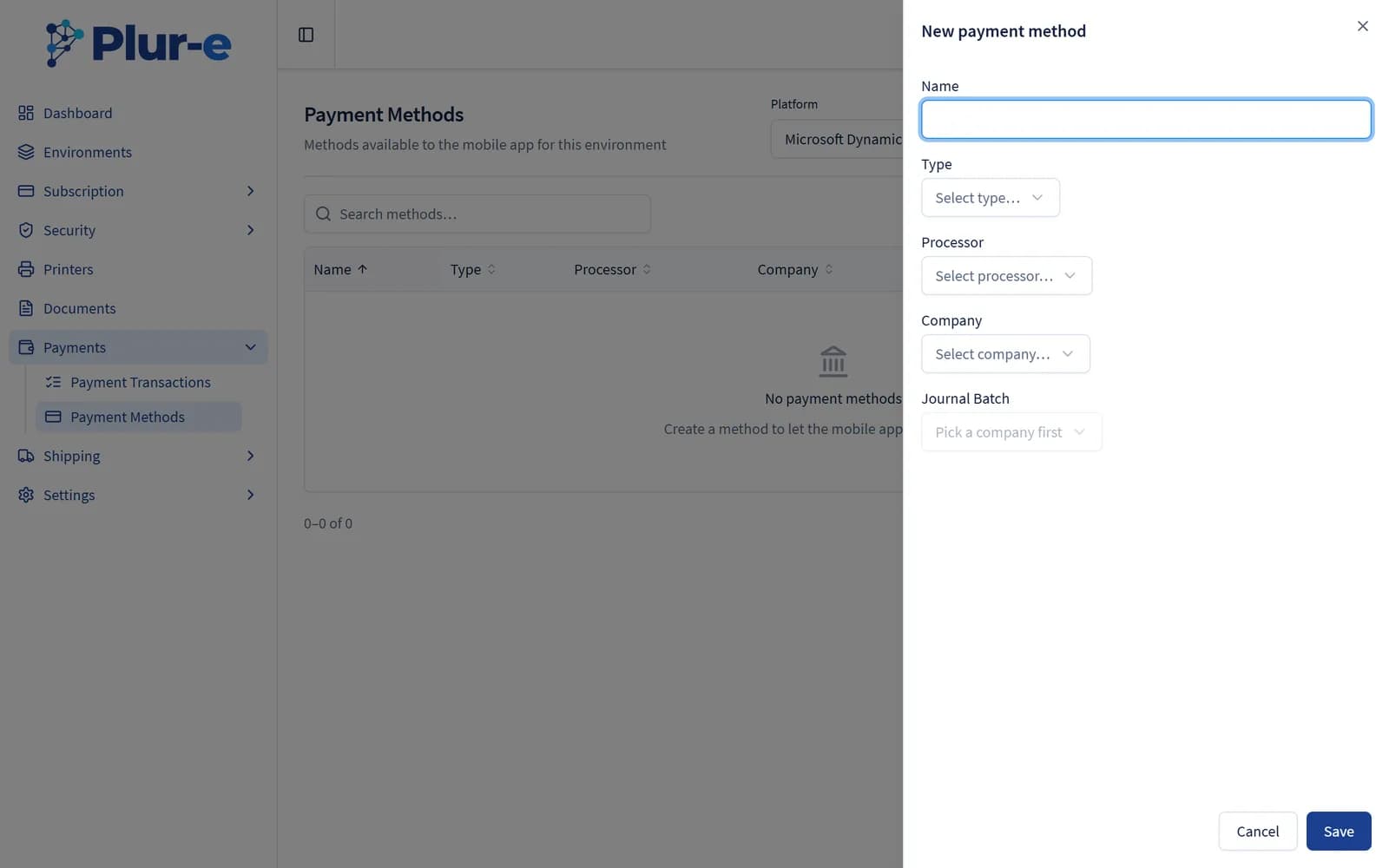
Mirror the Business Central payment batches as payment methods in the Admin Center and store the Stripe keys that link the card gateway.
Quick answer
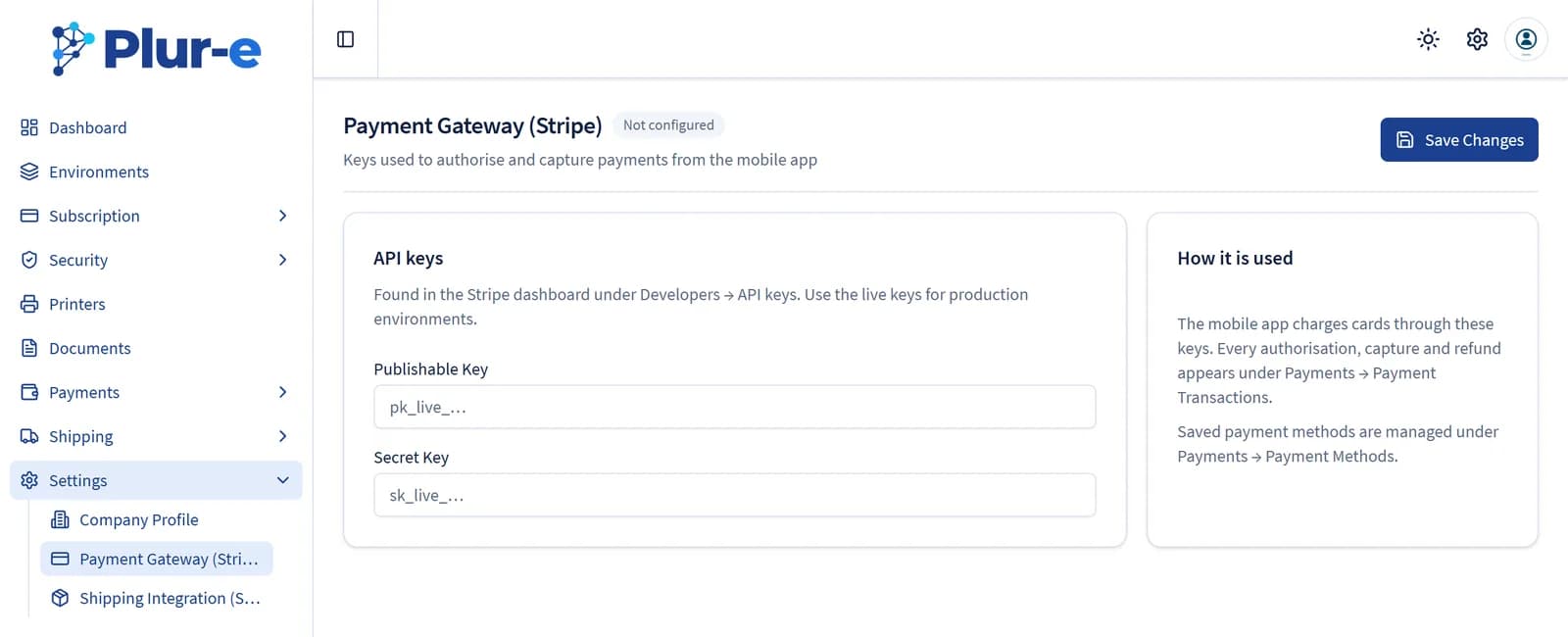
In Admin Center → Payments create one payment method per General Journal Batch (same name), then enter the Stripe publishable and secret keys in the Stripe section so card payments work in the app.
Enter the Stripe keys
Paste the keys from your Stripe dashboard. Use test keys in a sandbox environment.
Result
The methods appear in the Pay dialog of Plur-e Mobile for posted invoices.
Related: Set up in Business Central · Stripe integration
Last updated on
Edit on GitHubSet up payments in Business Central
Create the Payments general journal template and one General Journal Batch per payment method with balancing account and Payment Method Code so Plur-e can post payments.
Pay invoices
Pay a single posted sales invoice or several at once in Plur-e Mobile — swipe right, Pay, choose the payment method and confirm.