

Payment history and printing
Review paid invoices in Posted Sales Invoice Payment and print a receipt to a configured printer from Plur-e Mobile, including the Bluetooth permission needed.
Quick answer
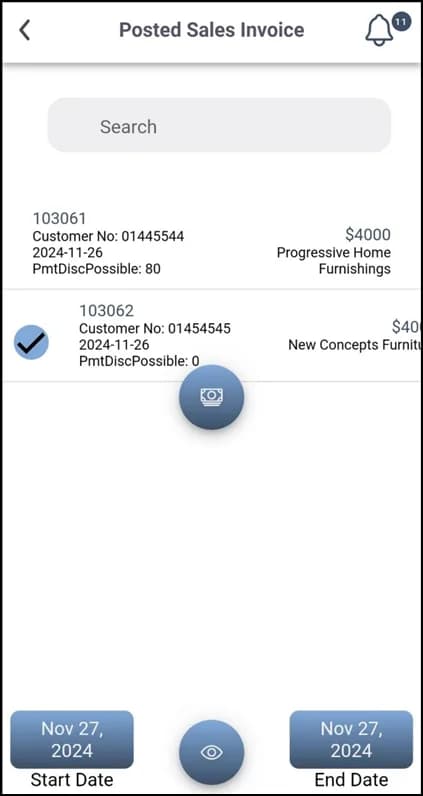
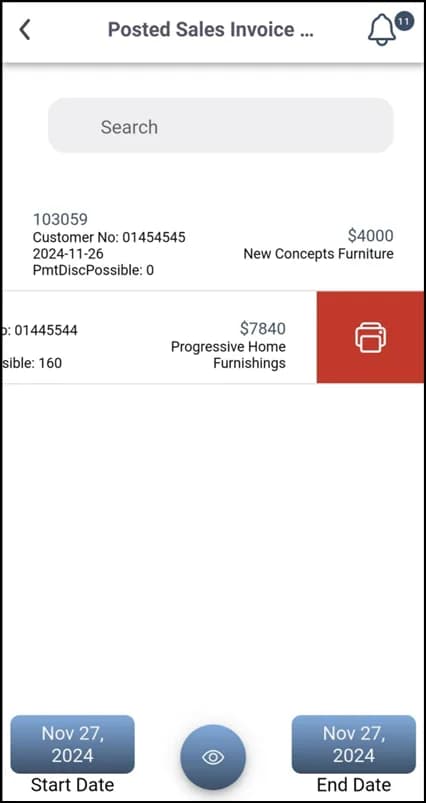
Posted Sales Invoice Payment lists every paid invoice with the same search as unpaid ones. Swipe right on an entry and tap Print, choose a printer configured in the Admin Center and confirm. Enable the app's Bluetooth permission in Android for Bluetooth printers.
Requirements
- Printers reported by Plur-e Printer and activated in the Admin Center (guide).
- For Bluetooth printers, allow Bluetooth for the Plur-e app in Android settings.
Related: Print from mobile · Documents
Last updated on
Edit on GitHubPay invoices
Pay a single posted sales invoice or several at once in Plur-e Mobile — swipe right, Pay, choose the payment method and confirm.
Warehouse module
Receive, put away, pick, ship, pack and count inventory in Plur-e Mobile against Business Central warehouse documents, with serial numbers and license plates.