

Warehouse · Counts
Physical inventory and cycle counts, without paper
Two modes for two kinds of companies: a general count for locations without advanced warehousing, and cycle counts driven by Business Central counting periods.
Quick answer
Plur-e Inventory Counts supports two procedures. General Inventory Count is for companies without advanced warehousing: pick the batch, scan each item, enter the physical quantity and Plur-e creates positive or negative adjustment lines in the Business Central physical inventory journal. Inventory Cycle Count works with Business Central's Calculate Inventory and counting periods: select the batch, scan, enter quantities, sync and post the journal in Business Central.
Counting stops the warehouse for a day
Printed count sheets, re-typing, a second pass to fix discrepancies. With Plur-e the count is the data entry: scan, type the quantity, and the journal lines are already in Business Central for review.
How it works
Inventory Counts: how it works
Prepare the batch in Business Central
For cycle counts, run Calculate Inventory (by filters or by counting period) on a physical inventory journal batch. For general counts no preload is needed.
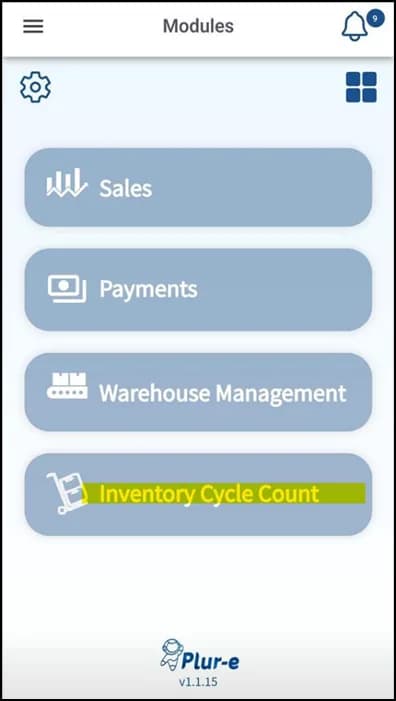
Choose company, location and mode in Plur-e
The default location comes from the user's preferences in the Admin Center. Pick General Inventory Count or Inventory Cycle Count, then Physical Inventory.
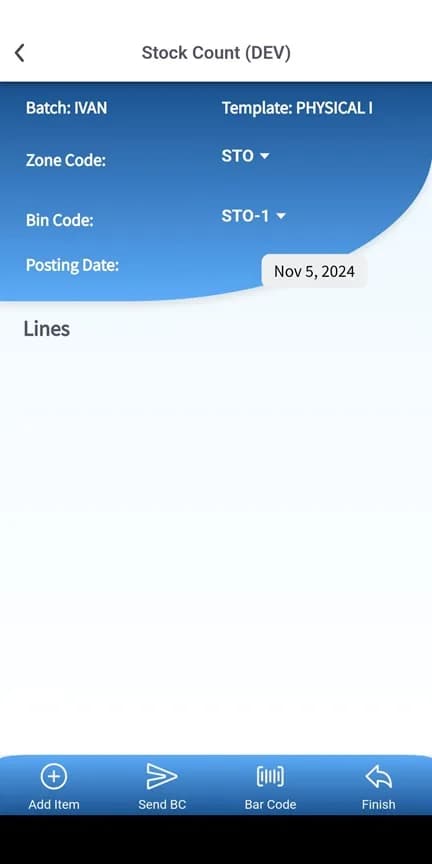
Select the batch
The batch stores the count. Its existing lines in Business Central are overwritten by Plur-e's results, and it cannot be changed mid-count.
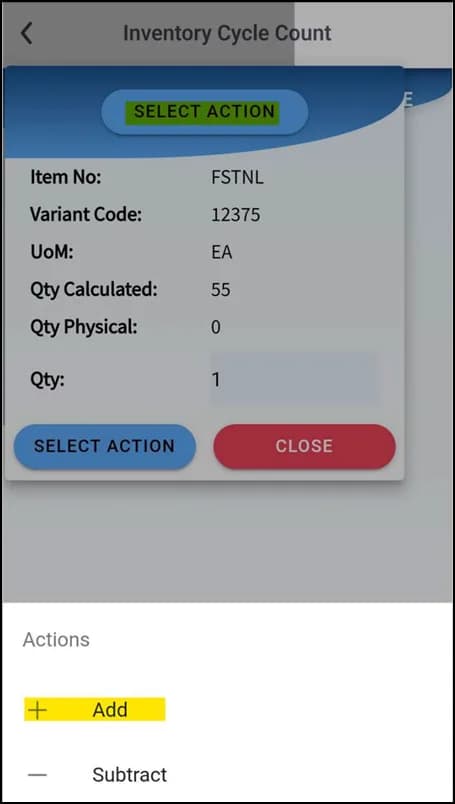
Scan and enter quantities
Scan the label and type the physical quantity. Less than calculated → negative adjustment; new item or zero calculated → positive; more than calculated → positive. Use Edit to correct a line.
Finish, verify, post
Tap Finish and wait for the sync confirmation. Review the journal lines in Business Central, then post.
What this posts in Business Central
| Plur-e action | Business Central |
|---|---|
| Finish count | Physical Inventory Journal lines with positive/negative adjustments |
| Post (in Business Central) | Item ledger entries; bin contents for advanced locations |
Offline behaviour
Counting needs a connection: counted lines are sent to the journal batch from the device. The count in progress is kept on the device per batch and bin, so you can pause and resume without losing scans.
Specifications
| Business Central pages | Physical Inventory Journals, Phys. Invt. Counting Periods, Items / SKUs |
|---|---|
| Modes | General Inventory Count · Inventory Cycle Count (Count by Bin) |
| Serialized items | Use Clear Serials in Business Central before counting; scan serials during the count |
| Batch behaviour | One batch at a time; lines overwritten by Plur-e; no edits after posting |
| Works offline | No — the count in progress is kept on the device |
FAQ
Frequently asked questions
Put your AI, Business Central and Dynamics 365 CRM to work together
Book a 2-hour MCP discovery workshop, or start the 30-day trial of Plur-e Mobile from AppSource.