

Warehouse · Outbound
Scan-validated picking, packing and shipping for Business Central
From the warehouse shipment to the carrier label without going back to a terminal.
Quick answer
Plur-e Pick, Pack & Ship reads the warehouse shipments created in Business Central from sales or transfer orders, lets the picker create and complete the pick on an Android device by scanning UPCs or serial numbers, groups items into packages and license plates, registers the pick from the phone and, through the ShipStation integration, produces carrier labels and tracking. Posting the shipment closes the order in Business Central.
Picking errors are shipping errors
A wrong item leaves the building and comes back as a return, a credit memo and an unhappy customer. Barcode validation on every line stops the error at the shelf.
How it works
Pick, Pack & Ship: how it works
Create the warehouse shipment
In Business Central, from the sales or transfer order choose Create Warehouse Shipment (or use Get Source Docs) and assign the warehouse user.
Create the pick from Plur-e
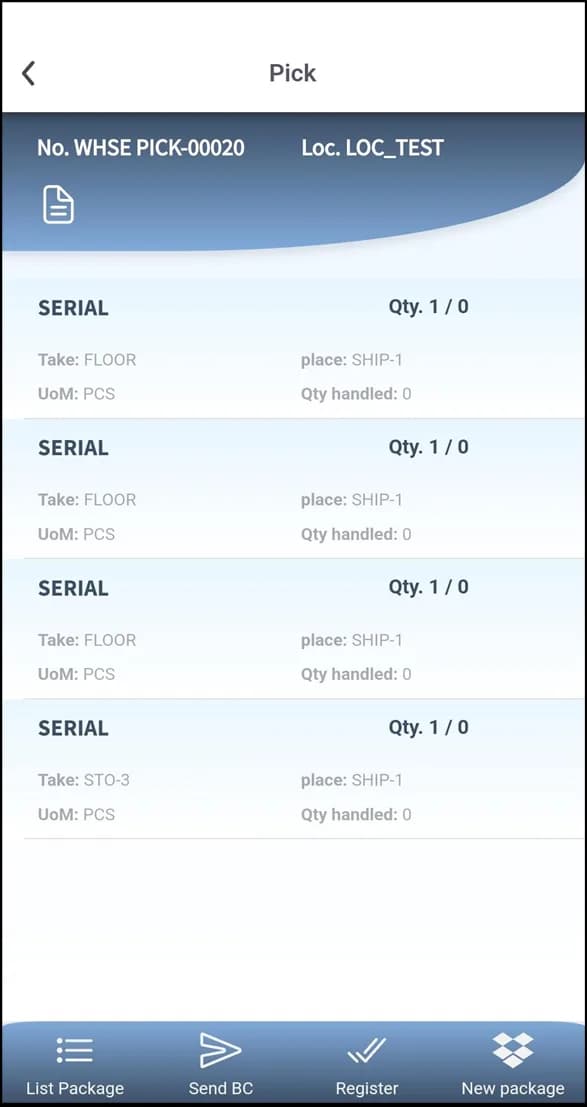
Plur-e can create the pick directly from the shipment. Non-serialized items are picked by quantity; serialized ones by scanning or selecting the serials.
Pack and build license plates
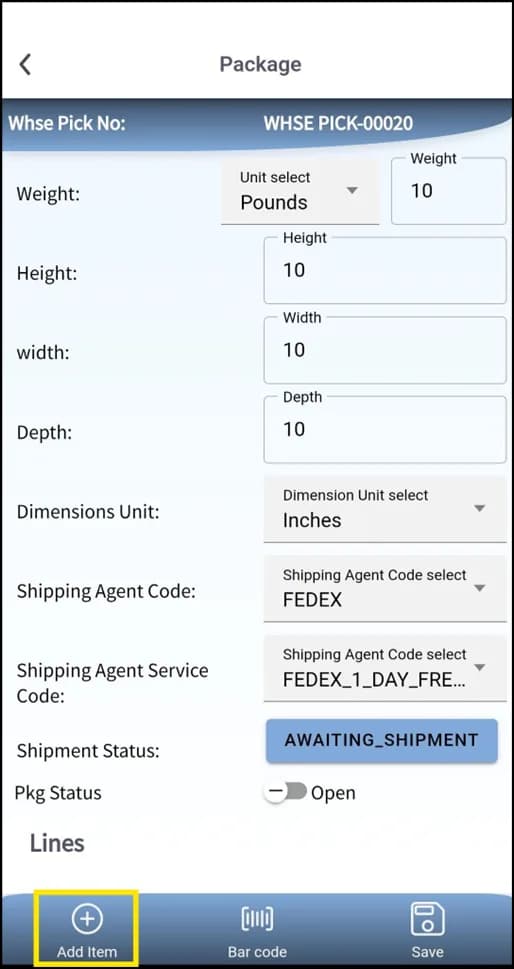
Create packages, add the picked items and save. With license plates enabled, assign LPs to the pick.
Register the pick
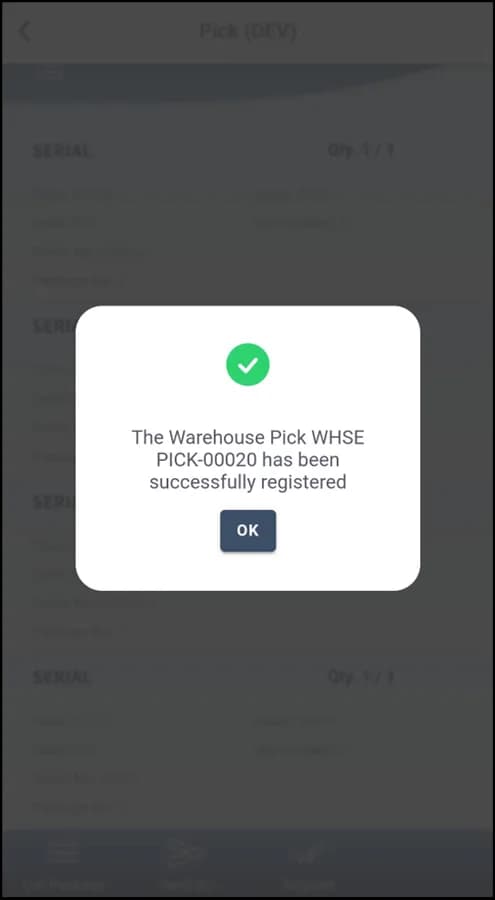
Register from the app; the registered pick is synchronized with Business Central.
Ship
Post the shipment in Business Central. ShipStation returns rates, labels and tracking for the packages.
What this posts in Business Central
| Plur-e action | Business Central |
|---|---|
| Send picked quantities | Warehouse Pick lines (Qty. to Handle) |
| Register pick | Registered Warehouse Pick |
| Post shipment (Business Central) | Posted Warehouse Shipment / Posted Sales Shipment |
| Create packages | Plur-e packages → ShipStation shipment |
Offline behaviour
Picking needs a connection: lines are confirmed against Business Central and the pick is registered from the device. Packages, rates and labels are created in ShipStation at that moment, so shipping also requires connectivity.
Specifications
| Business Central pages | Warehouse Shipments, Warehouse Picks, Registered Picks, Sales Orders, Transfer Orders |
|---|---|
| Validation | UPC / serial scan per line |
| Packing | Packages per shipment; license plates assignable to picks |
| Carrier integration | ShipStation (rates, labels, tracking) configured in the Admin Center |
| Works offline | Picking yes; carrier calls need connectivity |
FAQ
Frequently asked questions
Put your AI, Business Central and Dynamics 365 CRM to work together
Book a 2-hour MCP discovery workshop, or start the 30-day trial of Plur-e Mobile from AppSource.