

Sales · Payments
Take payments on the phone and post them in Business Central
Posted sales invoices, payment methods that are your Business Central journal batches, a receipt printed on the spot.
Quick answer
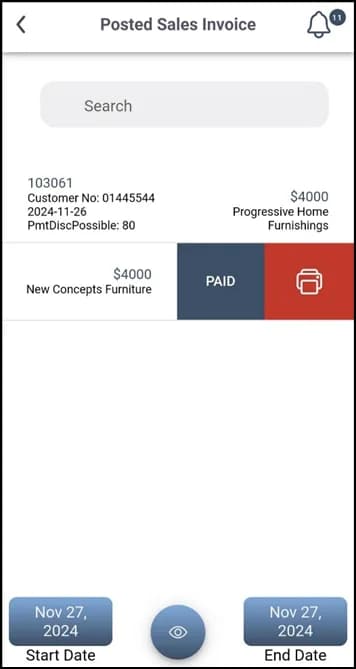
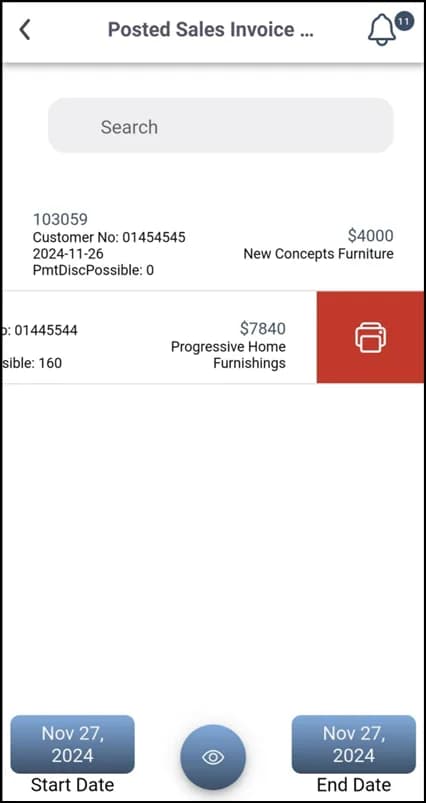
Plur-e Payments lists the posted sales invoices that remain unpaid, lets the user pay one invoice (swipe → Pay) or several at once (select → Pay Invoices) with the payment methods configured in the Admin Center and Business Central, keeps the history in Posted Sales Invoice Payment and prints paid invoices on configured printers. Payment methods are the batches of the Business Central general journal template “Payments”; card processing is configured with Stripe keys in the Admin Center.
Collected in the field, reconciled next week
Cash and card payments taken outside the office arrive as notes and photos. Plur-e applies them to the right posted invoice with the right payment method, at the moment of collection.
How it works
Payments: how it works
Set up payment methods in Business Central
Create the general journal template “Payments” and one batch per payment method (name, balancing account type and number, payment method code).
Mirror them in the Admin Center
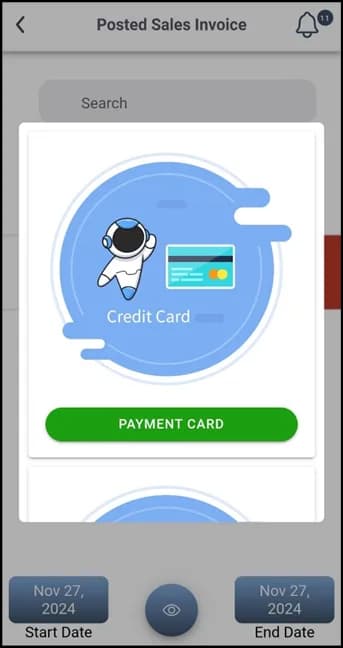
Create the same payment methods under Payments and add your Stripe keys for card processing.
Pay an invoice
In Posted Sales Invoice, search or filter by date, swipe right on the invoice and tap Pay; choose the method and confirm.
Pay several invoices
Use the search button at the bottom, select the invoices and tap Pay Invoices.
Print the paid invoice
In Posted Sales Invoice Payment, swipe right and tap Print; choose the configured printer. Bluetooth permission must be enabled for the app.
What this posts in Business Central
| Plur-e action | Business Central |
|---|---|
| Pay | General Journal lines in the batch of the chosen payment method, applied to the posted invoice[Posted and applied automatically; the receipt number is shown in the app] |
Offline behaviour
Payments need a connection: the payment is sent to Business Central and, for cards, to Stripe the moment you tap Pay. The only offline case is in the Sales module: a cash receipt can be printed for an order captured offline, and the order syncs when the device is back online.
Specifications
| Business Central pages | Posted Sales Invoices, General Journal Templates / Batches, Payment Methods |
|---|---|
| Payment methods | One per journal batch; mirrored in the Admin Center |
| Card processing | Stripe (keys in Admin Center); no other processor today |
| History | Posted Sales Invoice Payment with search and date filters |
| Printing | Paid invoices on configured printers (Bluetooth or Plur-e Printer) |
FAQ
Frequently asked questions
Put your AI, Business Central and Dynamics 365 CRM to work together
Book a 2-hour MCP discovery workshop, or start the 30-day trial of Plur-e Mobile from AppSource.