

Platform · AI Assistant
An assistant inside Business Central that knows your processes
Ask how to receive a serialized item or where a setting lives, without leaving Business Central. Answers come from the documents you load.
Quick answer
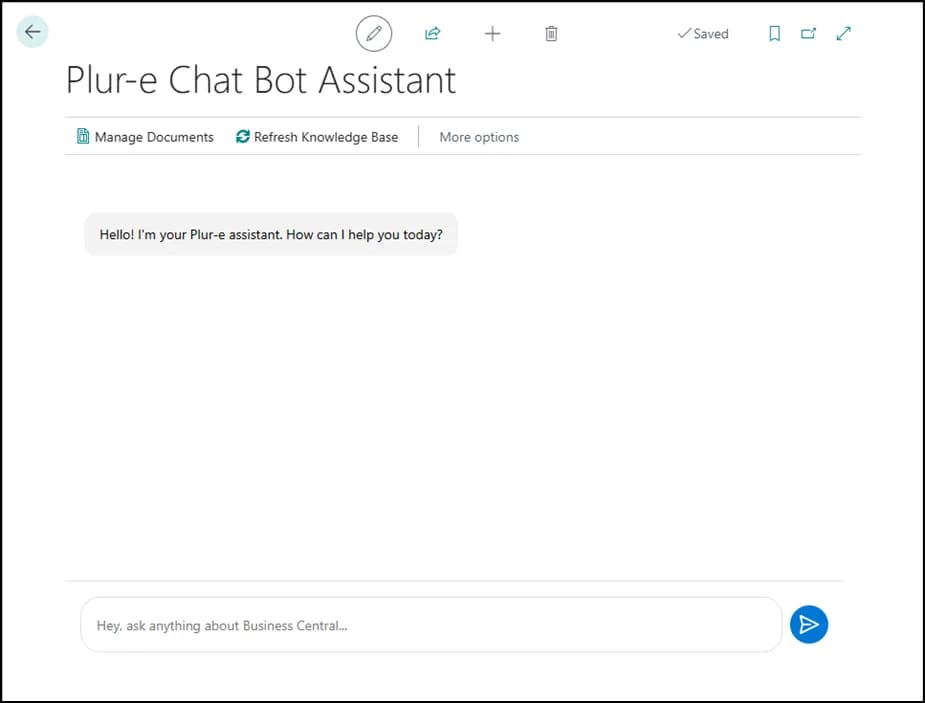
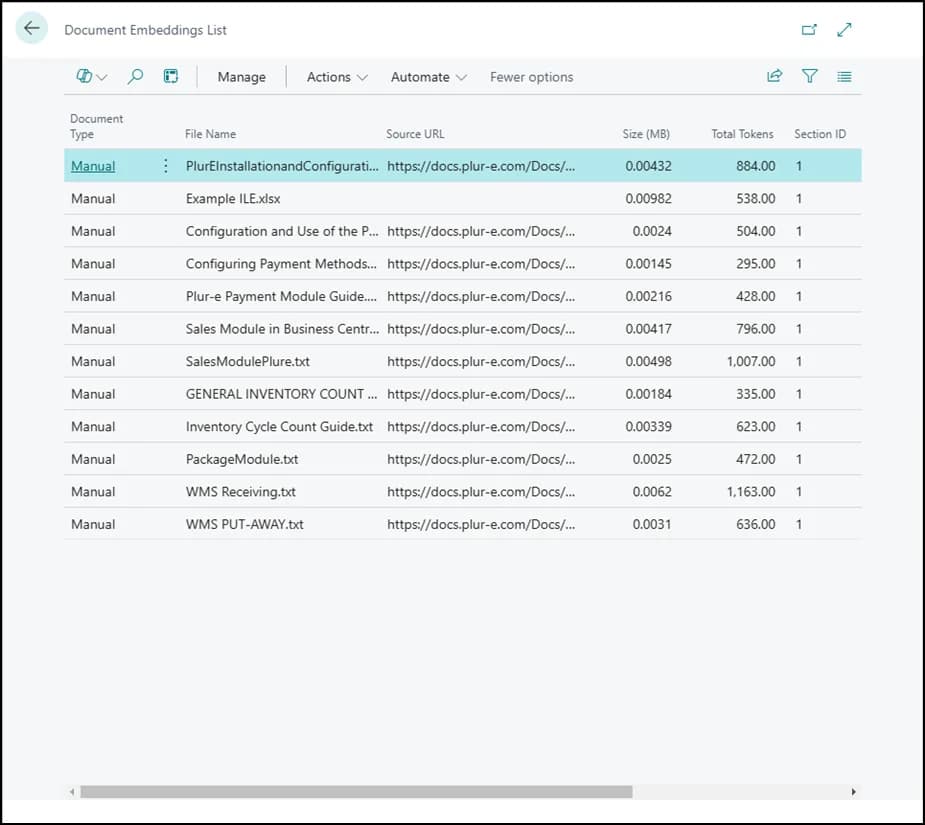
The Plur-e Chat Bot Assistant is a chatbot integrated in Business Central (pages Chat Bot Assistant and Plur-e OpenAI Setup) that explains the processes Plur-e manages and answers from the documents imported in Manage Documents (with document type and optional source URL). It is a different product from Plur-e MCP, which connects Business Central and Dynamics 365 CRM to your AI assistant.
The manual is never open when the question comes
New operators ask the same questions every week. Load your procedures once and let the assistant answer from inside the ERP.
How it works
AI Assistant: how it works
Open Chat Bot Assistant
Search for it in Business Central or open it from Plur-e OpenAI Setup.
Import your documents
Manage Documents → Actions → Import Document; set the document type and, if it has one, the source URL.
Ask
Chat directly. Delete, view or edit imported documents as your processes change.
What this posts in Business Central
| Plur-e action | Business Central |
|---|---|
| — | No inventory or sales posting; knowledge base only |
Offline behaviour
Requires connectivity (runs inside Business Central).
Specifications
| Where | Inside Business Central (Chat Bot Assistant page) |
|---|---|
| AI provider | Configured in Plur-e OpenAI Setup |
| Knowledge | Documents imported in Manage Documents (type, source URL) |
| Related | Plur-e MCP for AI agents — see AI & MCP |
FAQ
Frequently asked questions
Put your AI, Business Central and Dynamics 365 CRM to work together
Book a 2-hour MCP discovery workshop, or start the 30-day trial of Plur-e Mobile from AppSource.